Accruals
1 min read
Accruals
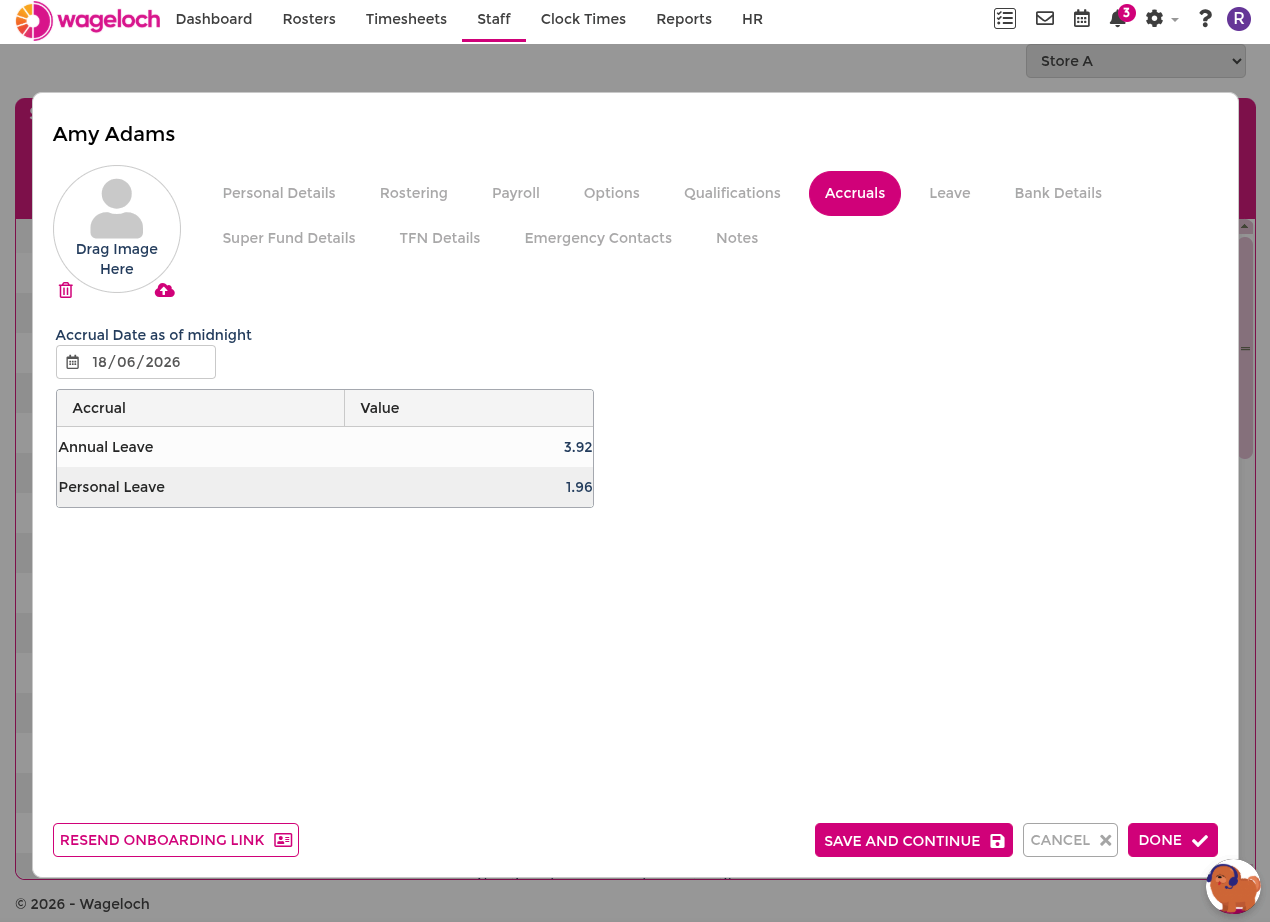
The Accruals tab shows the employee's current leave balances. View and adjust balances manually when a correction is needed.
Adjust a leave balance
- Open Staff and select the employee.
- Select the Accruals tab.
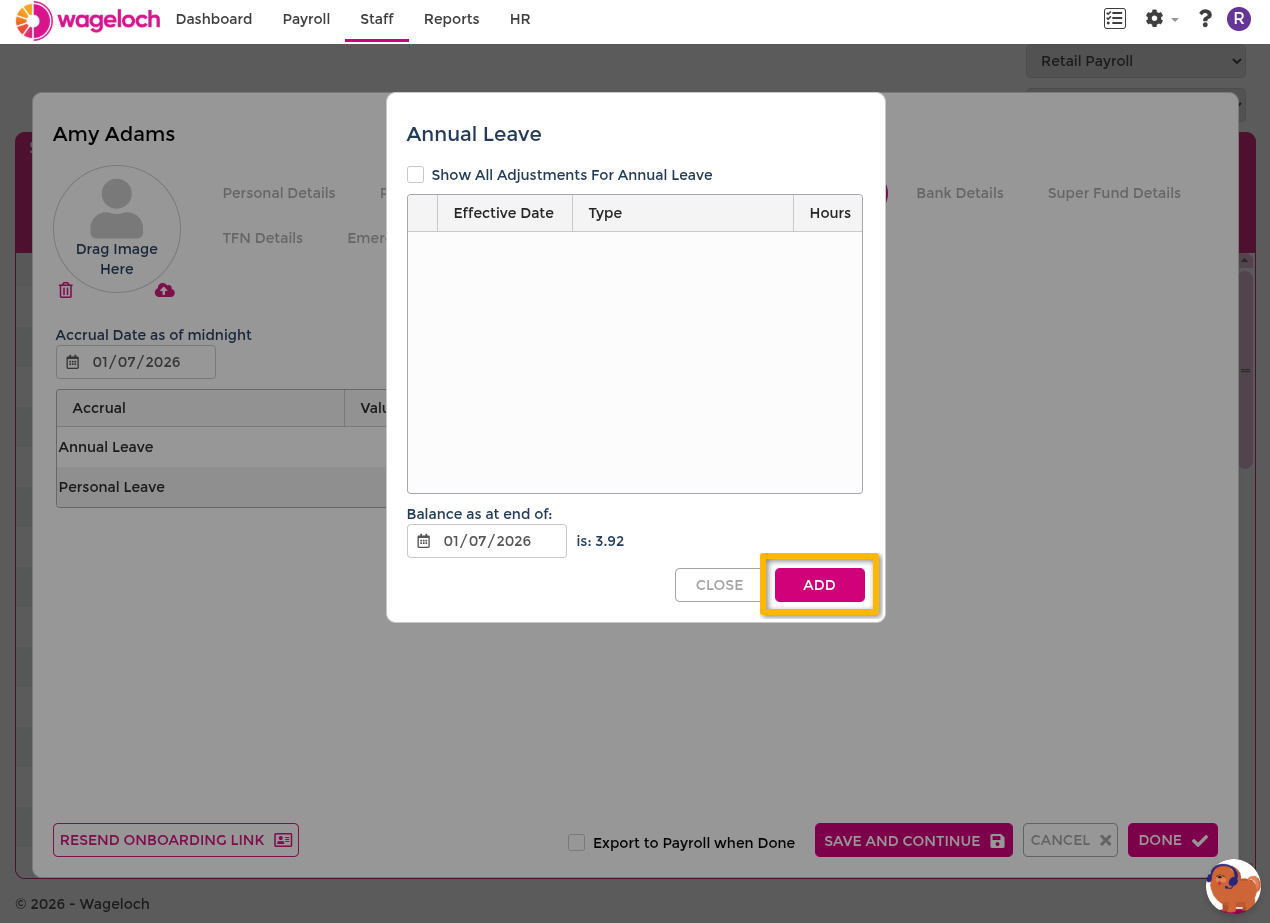
- Select the accrual type to adjust from the list.
- Select Add.
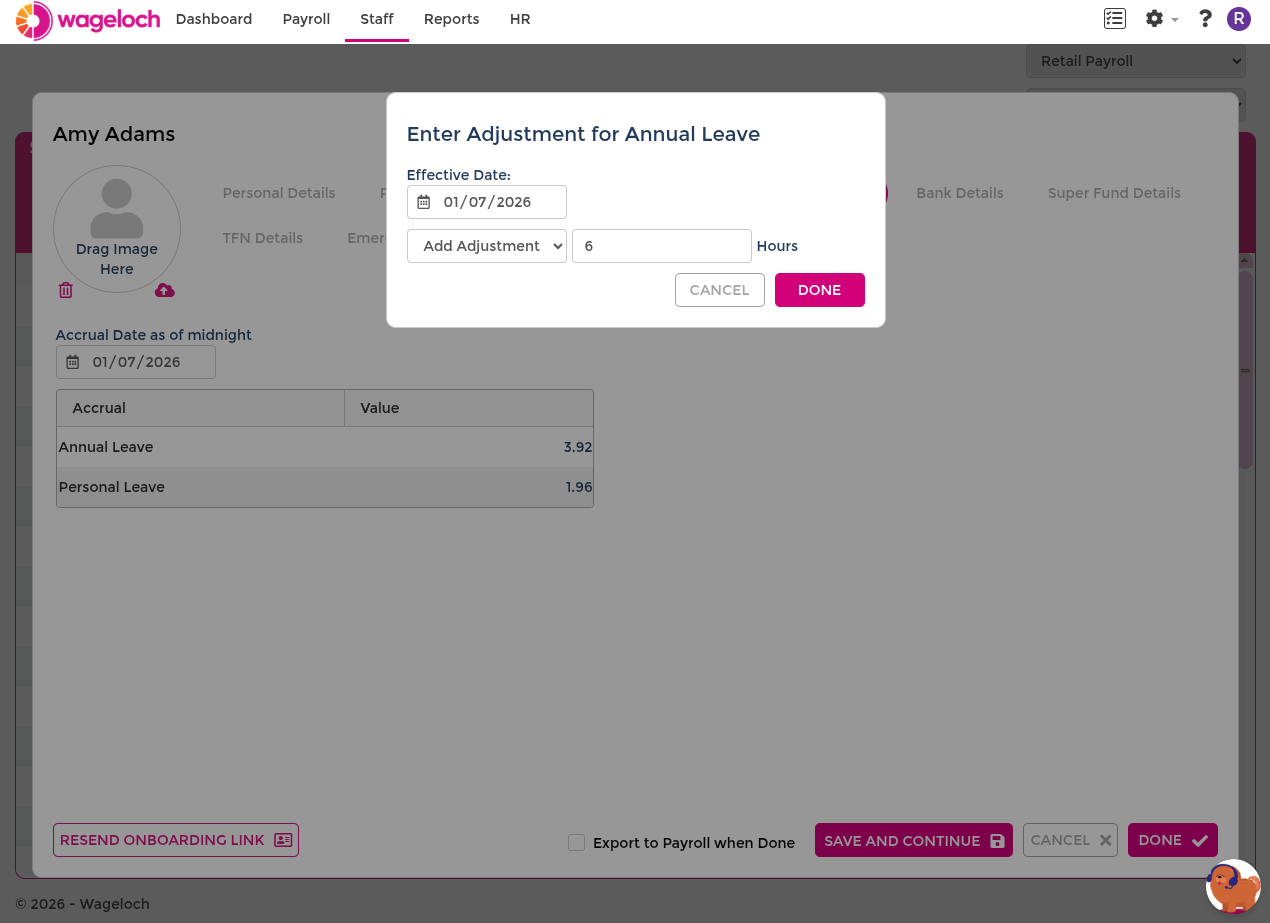
- Set the effective date.
- Enter the new balance in hours.
- Select Done to save.
When entering the hours value, choose the adjustment type:
- Add Adjustment — adds or subtracts hours from the current balance. Use a positive value to increase the balance or a negative value to decrease it. Use this for corrections that should be recorded as a delta (for example, crediting missed hours).
- Set Balance — replaces the current balance with the exact value you enter. Use this when you know the correct total and want to override whatever is currently recorded.