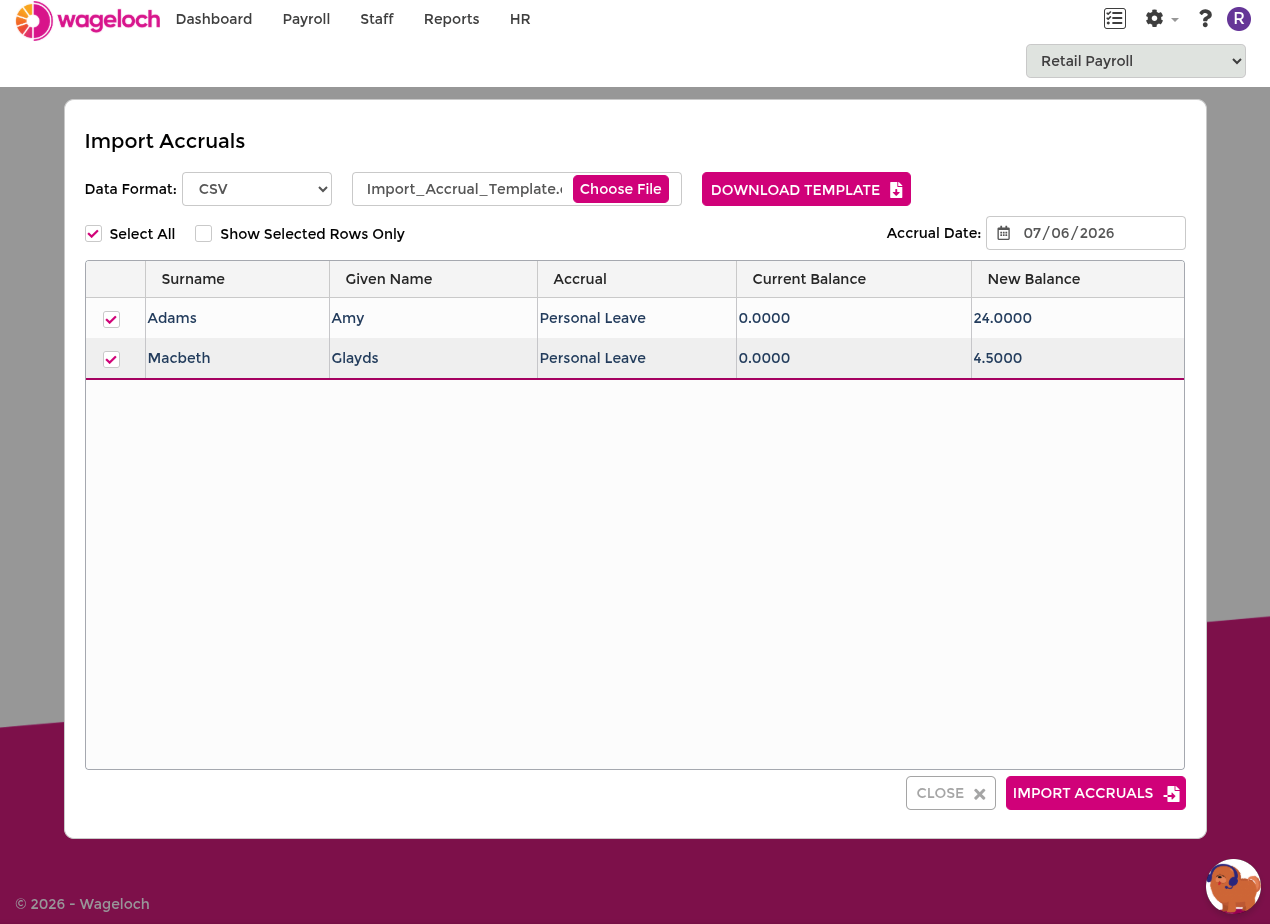
Import Accrual Balances
1 min read
Import Accrual Balances
Use accrual import to load leave balances in bulk.
Wageloch supports direct API imports for:
- MYOB
- Reckon
- Xero
If your payroll product is not supported by direct integration, use file-based import options instead.
INFO
If your site is managed under a central payroll site, import functions can only be accessed and run from that site. See Central Payroll.
- Go to Settings > Staff > Import > Accrual Balances.
- Set Format to MYOB, Reckon, or Xero.
- Select Download Accruals.
- Review each employee row:
- Current Balance: the value currently stored in Wageloch.
- New Balance: the value from your payroll system.
- Select the rows to import (or select all).
- Select Import Accruals.
- Confirm the update prompt.
WARNING
Accrual imports overwrite the selected balances in Wageloch. Check values before confirming.