Options
1 min read
Options
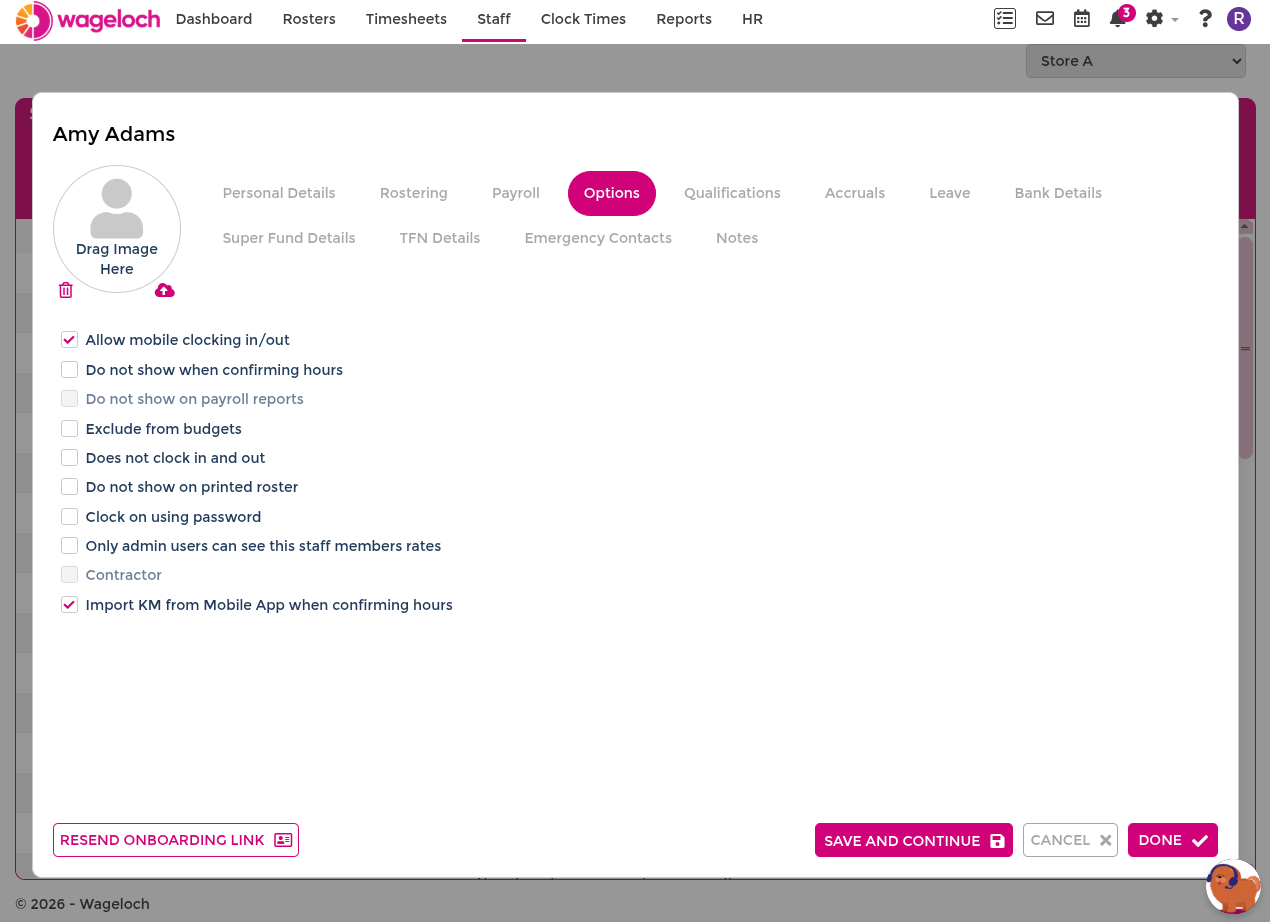
Open an employee's staff card and select the Options tab to control settings that affect their visibility, clocking, and payroll behaviour.
Available options
- Allow mobile clocking in/out: enables the employee to clock in and out using the Wageloch mobile app.
- Do not create timesheets in payroll system: records roster and timesheet hours in Wageloch but excludes this employee from the payroll export.
- Do not show when confirming hours: hides the employee from timesheet confirmation and finalisation views.
- Do not show on payroll reports: excludes this employee from payroll reports in Reports.
- Exclude from budgets: hides the employee's hourly and shift costs from budget views.
- Does not clock in or out: hides the employee from time kiosk clocking lists.
- Do not show on printed roster: excludes the employee from printed roster output.
- Clock on using password: allows password clocking when biometric clocking is not suitable.
- Only Admin users can see this staff member's rates: restricts rate visibility for non-admin users. See Users and Security.
- Import KM from Mobile App when confirming hours: imports travel kilometres recorded through the Mobile App Log Book during timesheet confirmation.