
Teletrac Navman
5 min read
Teletrac Navman integration
Drivers using a Teletrac Navman (TN360) in-cab unit can press REST BREAK when they stop for a fatigue break. Connect the integration and Wageloch pulls those break events into the matching employee's timesheet automatically, so the break is recorded even when a driver can't get back to a clocking station or use the mobile app.
Imported breaks appear as an ordinary unplanned Out then In mid-shift. They flow through your existing timesheet and payroll calculation with no separate break type or manual adjustment.
Before you start
You need a Teletrac Navman API key for the client's TN360 account. Contact the client's Teletrac Navman account representative if one hasn't been issued yet.
AU region only
There's currently no separate region or base-URL setting — the integration talks to the AU TN360 endpoint. If a client is on a different Teletrac Navman region, flag this for follow-up before relying on the import.
Connect the integration
- Open Settings (cog icon) > Integrations.
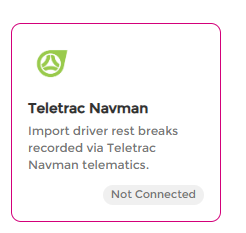
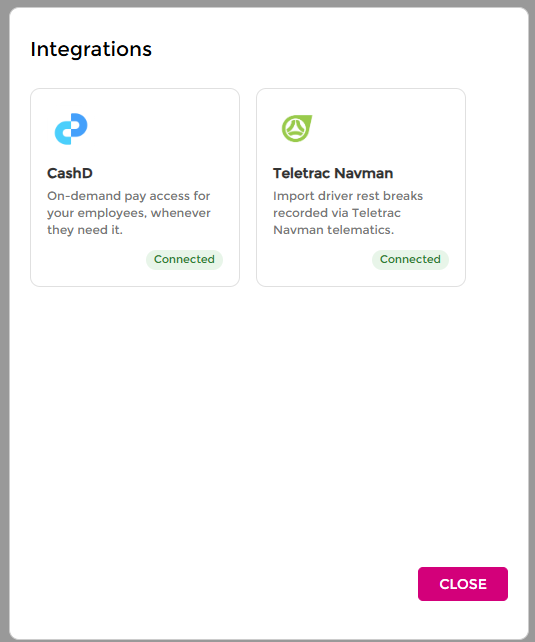
- Find the Teletrac Navman card. A green Connected badge shows on any integration already enabled with a key saved; otherwise it shows Not Connected.
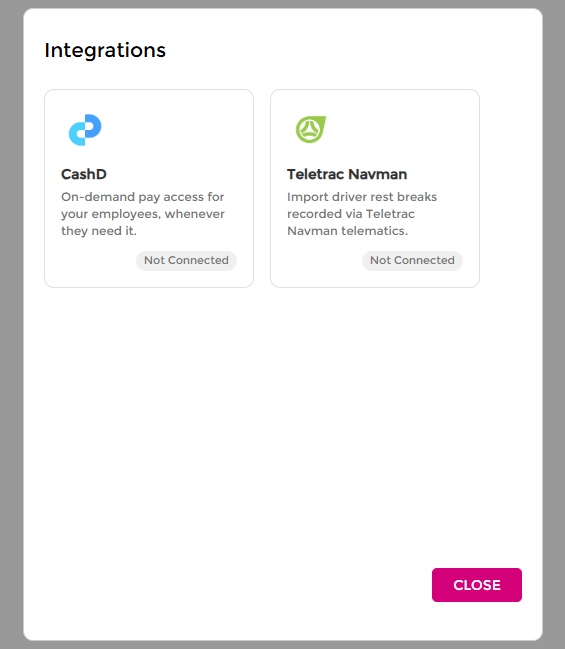
- Select the Teletrac Navman card to expand its settings.
- Tick Enable Teletrac Navman Integration.
- Paste the API key into the API Key field.
- Select Save.
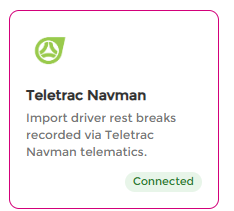
The card shows the green Connected badge and a checkmark once saved. Select Close to leave the Integrations screen.
Turn off the integration
Reopen Settings > Integrations > Teletrac Navman, untick Enable Teletrac Navman Integration, and select Save. The Import Teletrac Breaks button stops appearing on the timesheet screen once the integration is disabled or the API key is removed.
Import rest breaks
- Open Timesheets > Edit Timesheet and open the pay period you want to import breaks for.
- In the toolbar, next to Reset Day, select Import Teletrac Breaks. This button only appears when the integration is enabled and an API key is saved.
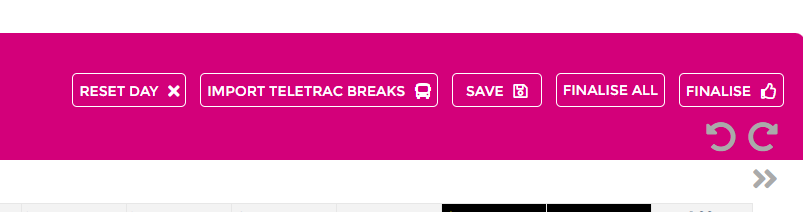
- Wageloch pulls the pay period's driver events from Teletrac Navman, works out each genuine rest break, and matches each driver to a Wageloch employee by first and last name.
- Wageloch writes each matched break into that employee's clock times as an unpaid Out/In pair, with a note reading "Imported from Teletrac Navman" and the GPS location of the break.
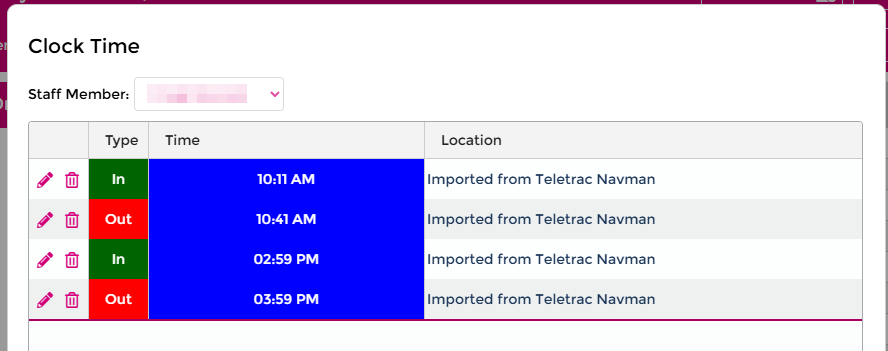
- A summary then shows the number of breaks imported and lists any drivers Wageloch couldn't match, with a count of their skipped breaks.
- The timesheet day refreshes automatically to show the new break or breaks.
Safe to re-run
Select Import Teletrac Breaks again at any time, for example after fixing an unmatched employee's name, or a day later to pick up new breaks. Already-imported breaks are recognised by their exact timestamp and are never duplicated.
How Wageloch identifies a break
Teletrac Navman doesn't send an explicit end-of-break event. A rest break is the time between the driver pressing REST BREAK and whatever they do next, almost always resuming work. Wageloch filters out gaps that don't look like a genuine break:
- Gaps longer than the site's Assume Forgot to Clock Off setting (for example 14 hours) — treated as the driver logging off for the day or for several days.
- Gaps that cross midnight and exceed the site's Split Break Differential setting (for example 90 minutes) — treated as the end of one shift rather than a break within it.
- Gaps under a minute — treated as a double button-press or a resent event rather than a genuine break.
Employee matching
Matching uses first name and last name only, not an employee code. It's case-insensitive and ignores extra spacing. A driver is reported as unmatched when either:
- No Wageloch employee has that exact first and last name, or
- More than one Wageloch employee shares that exact name. The match is ambiguous, so Wageloch won't guess which employee it is.
If a driver shows as unmatched, check for:
- A typo, nickname, or middle name or initial difference between Teletrac Navman and Wageloch (for example "Gurvinder (Garry) Singh" in Teletrac Navman against "Gurvinder Singh" in Wageloch).
- The employee not yet being set up in Wageloch.
- Two employees in Wageloch sharing the exact same first and last name.
Once the name is corrected in either system, re-running the import picks up the previously skipped breaks.
Troubleshooting
| Symptom | Likely cause |
|---|---|
| Import Teletrac Breaks button doesn't appear | The integration isn't enabled, or no API key is saved. Check Connect the integration. |
| Error: "Could not retrieve data from Teletrac Navman" | The API key is invalid or expired, or the TN360 account had a temporary issue. Confirm the key in the integration settings, or check with Teletrac Navman support. |
| A driver's breaks are always skipped | See Employee matching — almost always a name mismatch. |
| 0 breaks imported even though the driver used the rest button | The gap may have been filtered out. See How Wageloch identifies a break, and check the site's Assume Forgot to Clock Off and Split Break Differential settings if this happens often for legitimate breaks. |