
Payroll reversal
2 min read
Payroll reversal
If a pay run has already been submitted to the ATO and a payslip needs correcting, use Reverse Pay. It creates a negative reversal payslip in a new unscheduled pay run, so you can correct the mistake without deleting the original submission.
Before you start
- Confirm the original pay run and payslip have been submitted to the ATO.
- Check the employee, pay period, and payslip amounts before reversing.
- Confirm the reason for the reversal — incorrect hours, wages, tax, superannuation, or payment amount.
- Reverse only the payslip that needs correction.
Reverse Pay does not delete the original payslip
It creates a matching reversal payslip using negative values in a new unscheduled pay run.
Reverse a payslip
- Open the submitted pay run and select the employee payslip you want to reverse.
- Review the payslip details to confirm it's the correct pay to reverse.
- Select Reverse Pay at the bottom-right of the payslip screen.
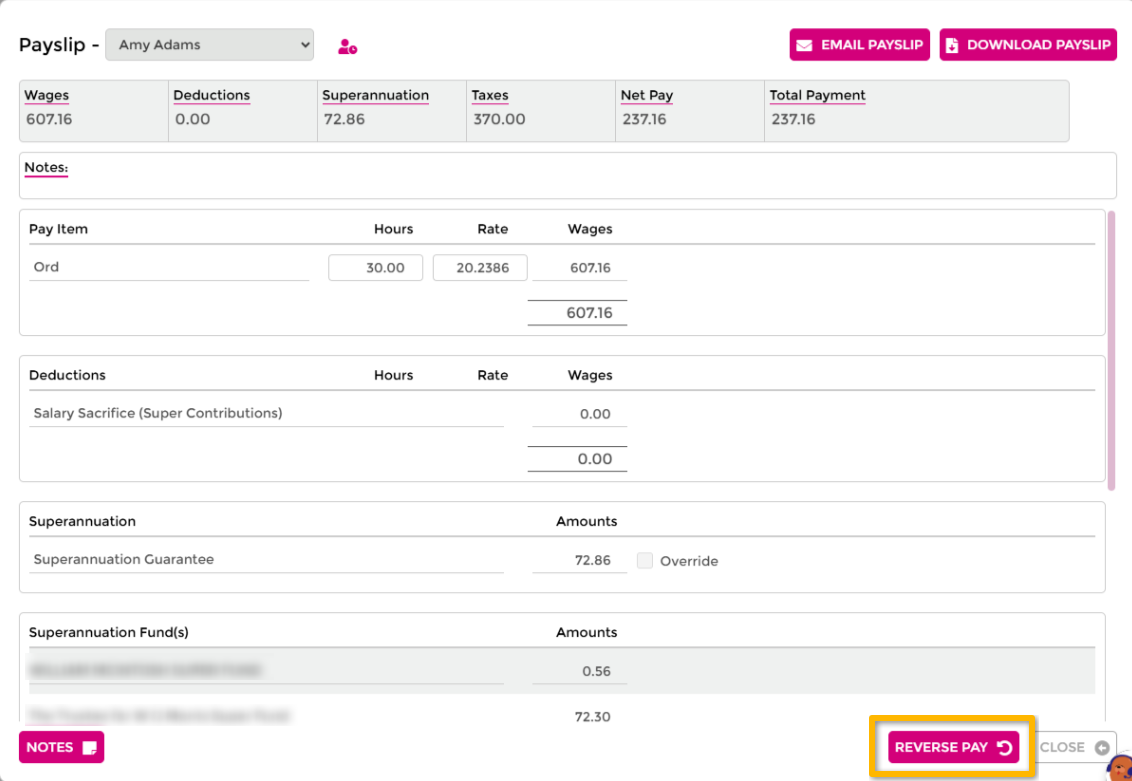
- Select Yes to confirm, or No to cancel and leave the payslip unchanged.
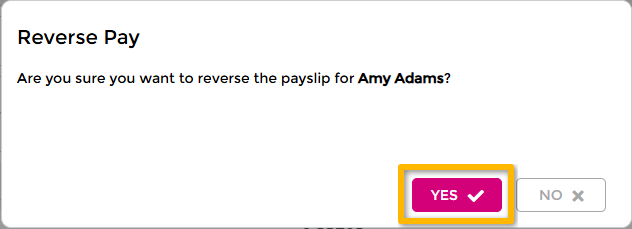
- Wageloch creates a reversal payslip that replicates the original amounts using negative values.
- Wageloch adds the reversal payslip to an unscheduled pay run. If none is open, it creates one; if one is already open, it adds the reversal to that pay run instead.
- Review the unscheduled pay run, then submit or update the ATO submission using your normal payroll process.
Multiple employee reversals
If several employees need reversing, open each affected payslip and select Reverse Pay individually. Wageloch does not create a separate unscheduled pay run for every employee — if one is already open, it adds each reversal payslip to that same pay run.
Troubleshooting
Does Reverse Pay remove the original ATO submission?
No. It creates a negative reversal payslip so the correction can be reported. The original submission stays on record.
Can you reverse more than one employee?
Yes. Reverse each affected payslip individually.
Why didn't Reverse Pay create a new unscheduled pay run?
An unscheduled pay run was already open, so Wageloch added the reversal to it instead of creating a new one.