
Payroll settings
2 min read
Payroll settings
Use Payroll settings to connect Wageloch to payroll providers, map export categories, and configure Wageloch Payroll features.
Accessing payroll settings
- Click the Settings cog (top right).
- Select Payroll.
Pay levels
Pay levels let you create reusable templates for employee pay rates in one place.
For more information, check out the dedicated Pay Levels guide.
Payroll connection
The Payroll Connection screen is the first step for integrating Wageloch with external payroll systems.
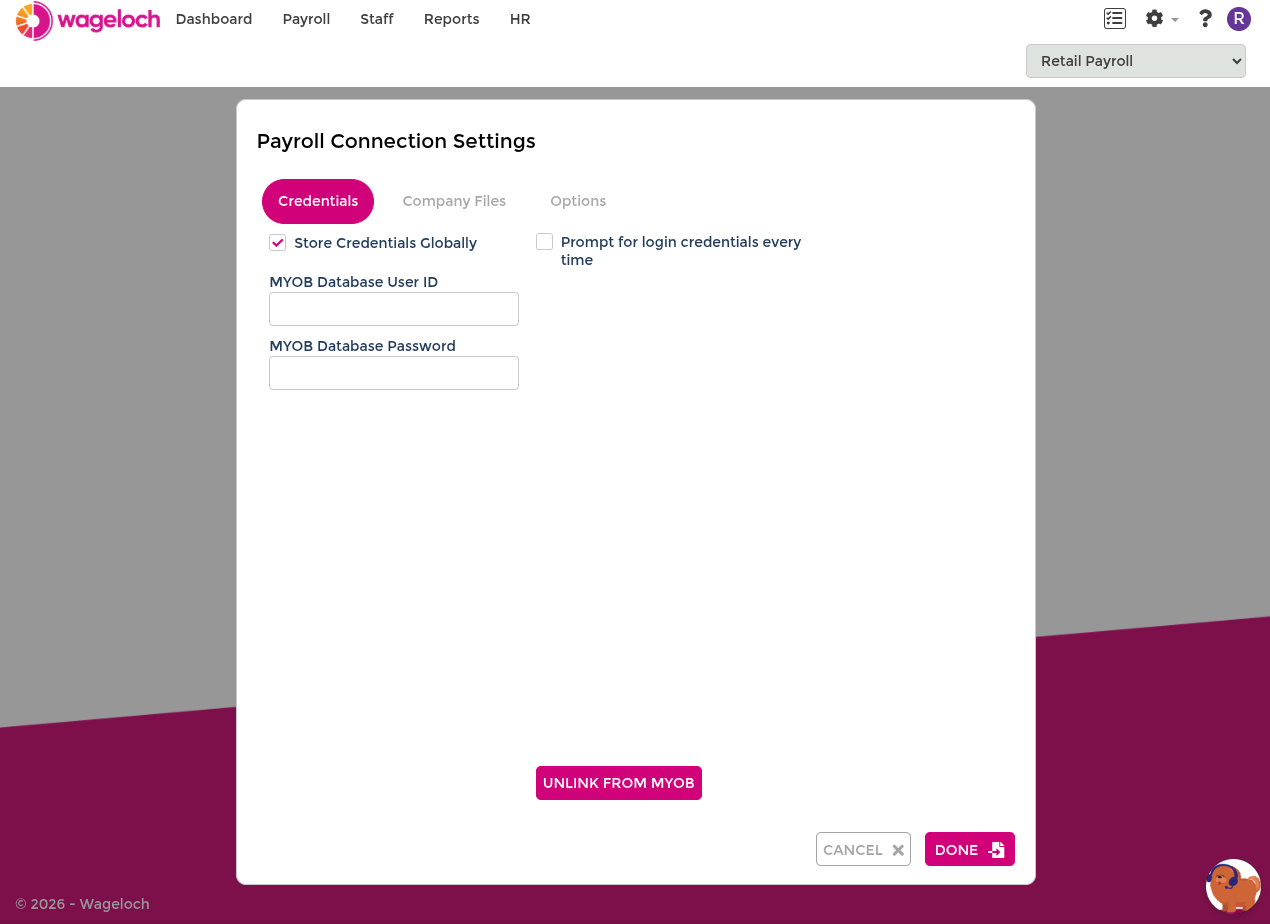
- Supported integrations: Includes providers such as MYOB, Xero, Reckon, and other payroll systems.
- Authentication and linking: Connects Wageloch to a payroll company file or organisation.
- Data transfer: Transfers occur through actions such as staff import and timesheet submission.
INFO
If your payroll platform is not directly integrated, there are still supported export formats that let you transfer Wageloch timesheet data into your payroll system.
If you are unsure which format or setup applies to your business, see the list of other payroll systems or contact Wageloch Helpdesk for guidance.
Payroll mappings
Payroll mappings define where timesheet values are exported in your payroll system.
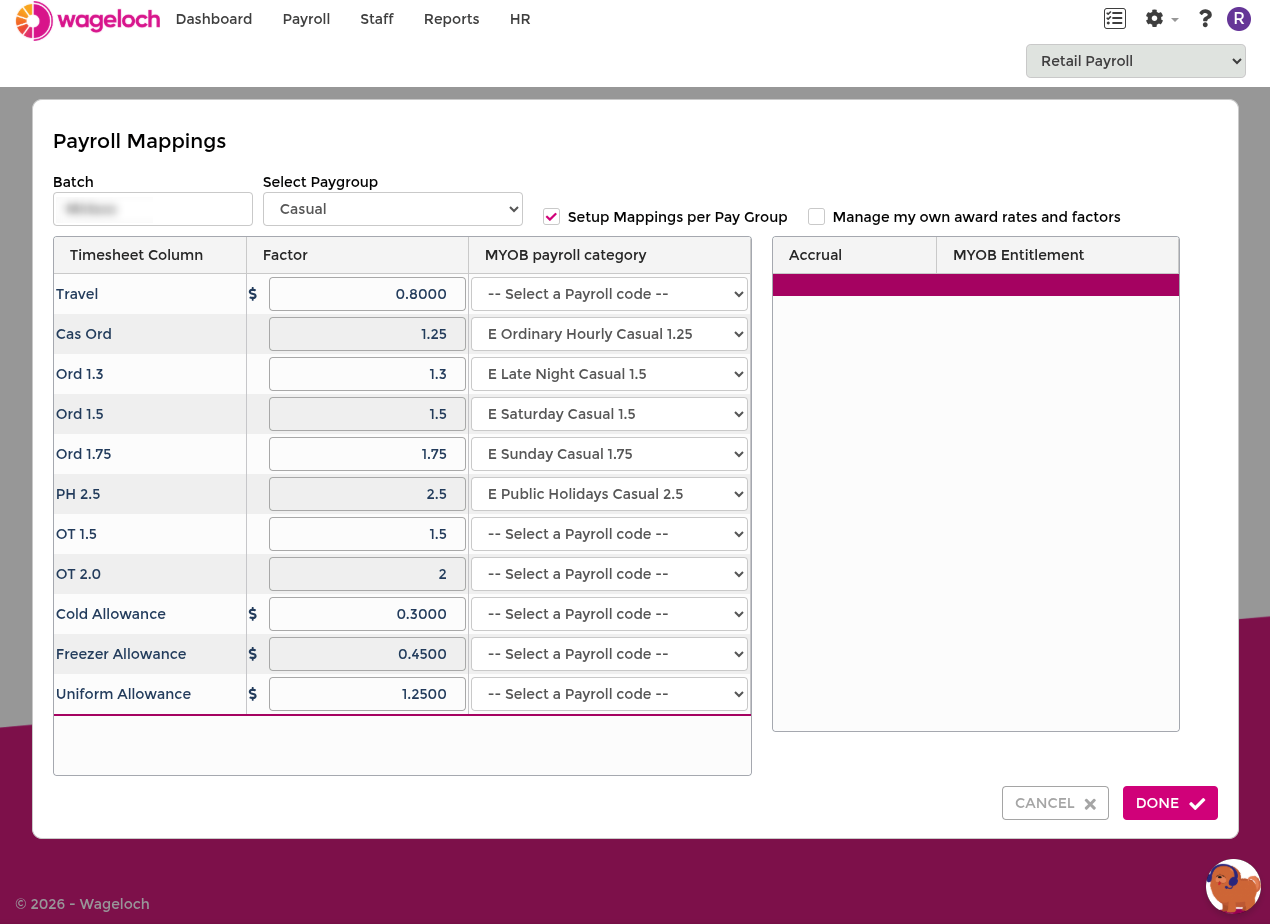
- Map pay groups: Select each pay group and map every timesheet column to a payroll category, pay item, or payroll code.
- Map accruals: Link accrual fields to leave entitlements before exporting.
- Shared mapping option: Use one mapping set across pay groups when applicable.
- Manual rates option: Maintain rates and factors manually after initial setup.
For more information on the Payroll Mapping process, check out the dedicated Payroll Mapping guide.
Mapping per employee
Mapping by staff card can be enabled when specific employees need unique mappings. Full setup steps are covered in the dedicated Payroll Mapping guide.
Wageloch payroll
If you are using Wageloch Payroll, additional payroll controls are available.
- STP Reporting: Configure STP settings where applicable.
- Payroll Mappings: Maintain export mappings for payroll processing.
- Journal Mappings: Configure journal export mapping behaviour.
See the full setup guide: Wageloch Payroll.