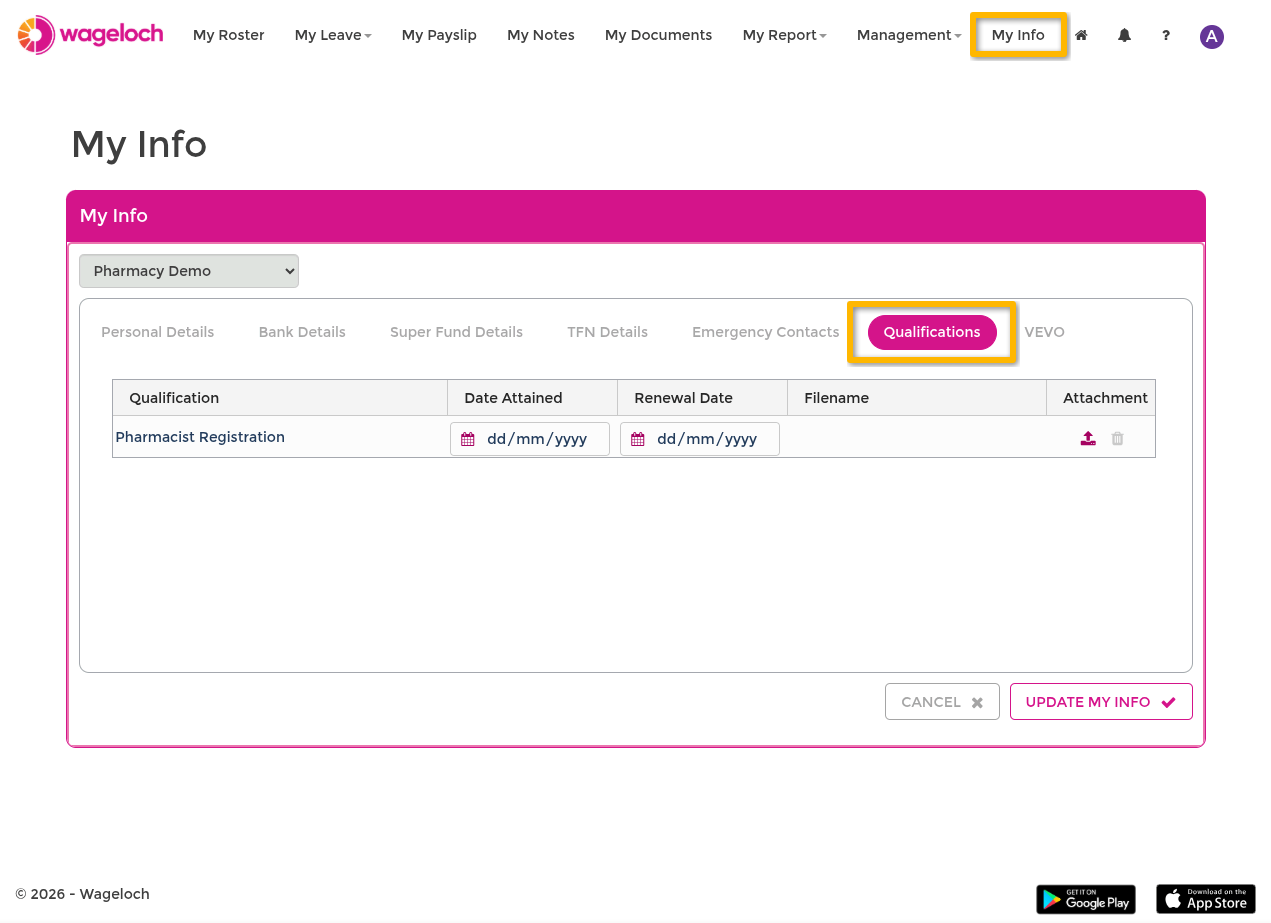
Qualifications
2 min read
Qualifications
Through the Staff Portal, you can add and update your qualification records, including attainment and renewal dates.
Before you start
- You need an active Staff Portal account. Contact your manager or administrator if you do not have one.
- You need an authenticator app installed on your phone (for example, Google Authenticator, Microsoft Authenticator, or Authy).
Enable MFA
Multifactor Authentication (MFA) is required before you can access My Info.
- Open the Wageloch Staff Portal.
- Sign in with your Staff Portal credentials.
- Open the account menu (your initial icon) and select Manage your Staff Portal User Account.
- Under Security, enable Multifactor Authentication.
- Scan the QR code with your authenticator app.
- Enter the 6-digit code from the app to confirm.
IMPORTANT
Use an authenticator app — do not scan the QR code with your phone camera. Scanning with the camera produces a one-time code that will not work for ongoing sign-in.
Update your qualifications
- In the Staff Portal, open My Info.
- Enter the 6-digit authenticator code if prompted.
- Open Qualifications.
- Click ADD and select a qualification.
- Enter attainment and renewal dates as needed.
- Click Save My Info.