
Unsubmit a timesheet
1 min read
Unsubmit a timesheet
If you submitted a timesheet period in error, or need to correct entries after submitting, you can reverse the submission for the last completed pay period and reopen it for editing.
Check with payroll before unsubmitting
If the timesheet has already been submitted to payroll, check with your payroll person before unsubmitting and resubmitting. If payroll has already been processed, your changes will not be included unless they recalculate the timesheet.
Steps to unsubmit
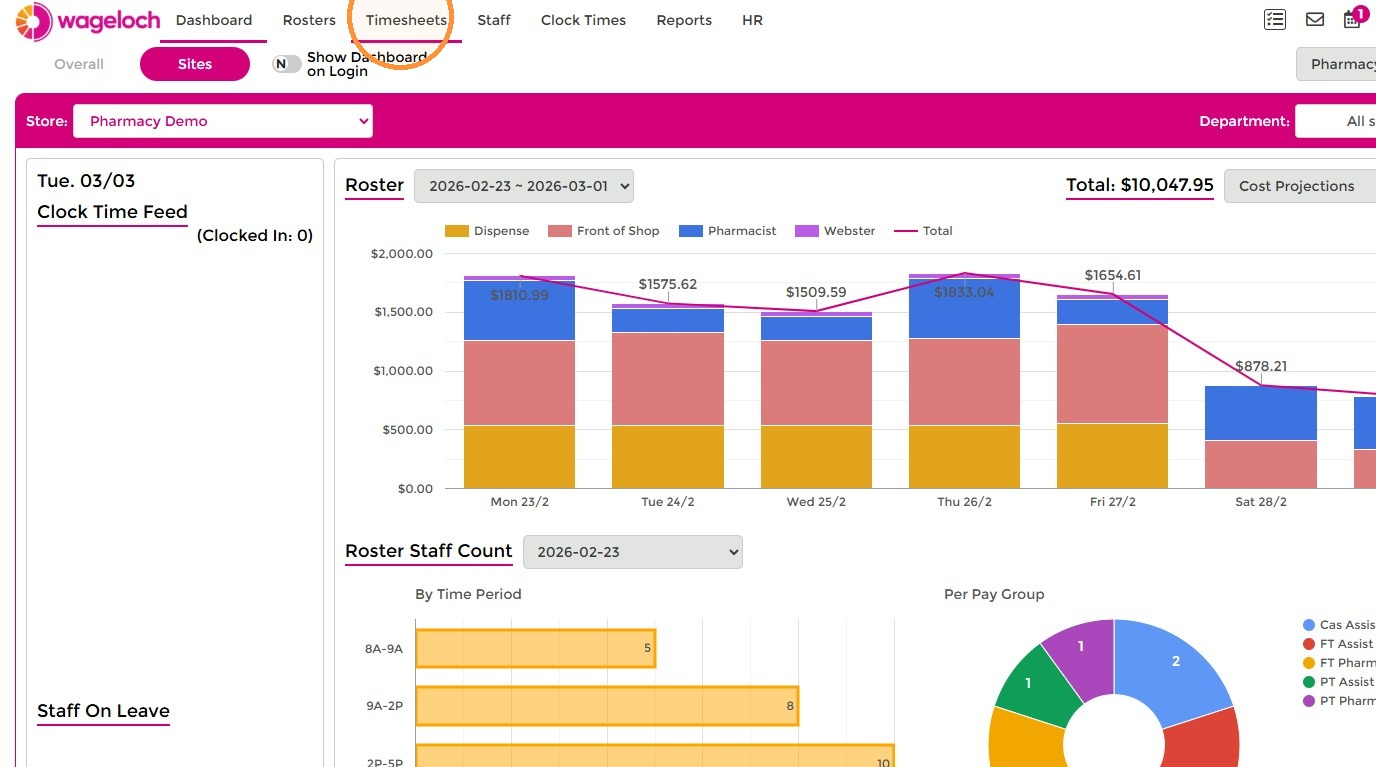
- Open Timesheets, select the relevant site, and go to the Timesheets tab.
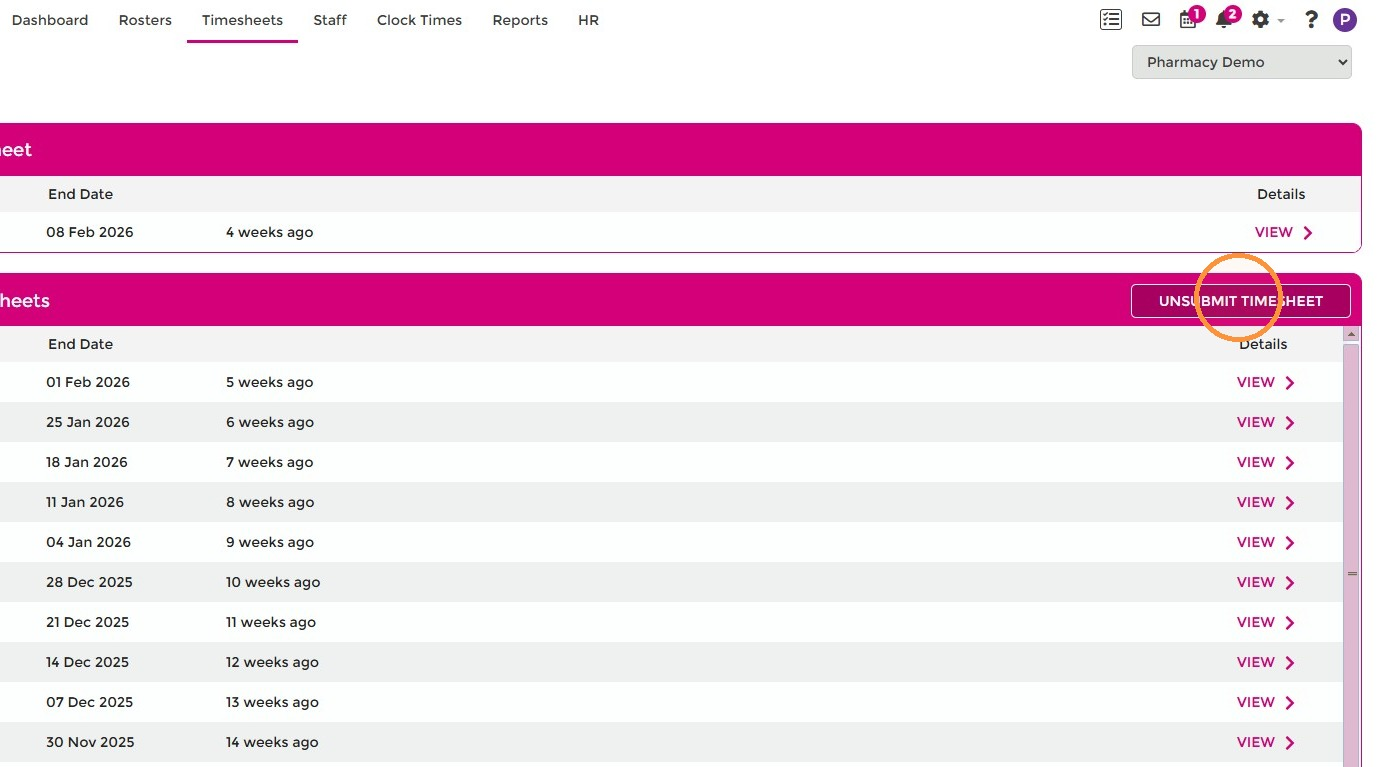
- Select Unsubmit Timesheet.
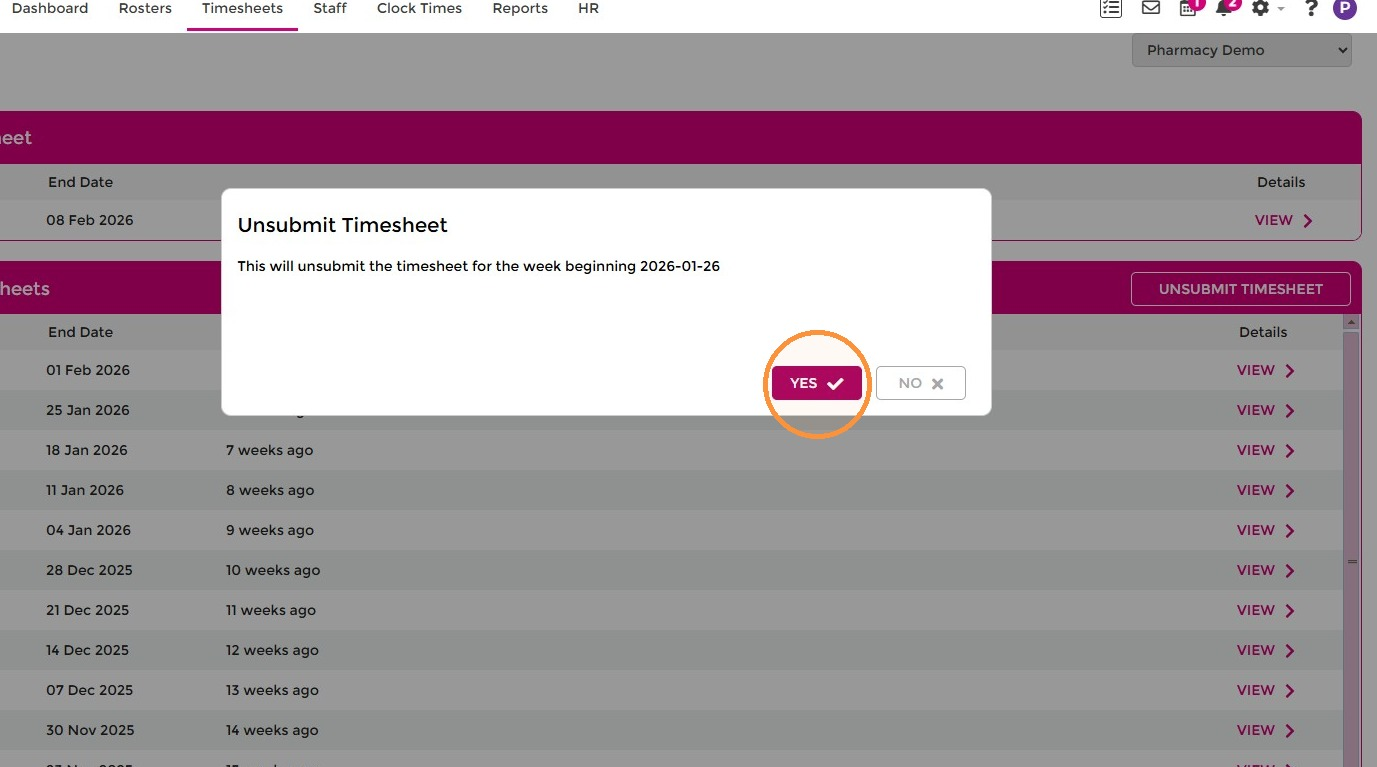
- Select Yes to confirm the timesheet date you are unsubmitting.
- Select OK to confirm.
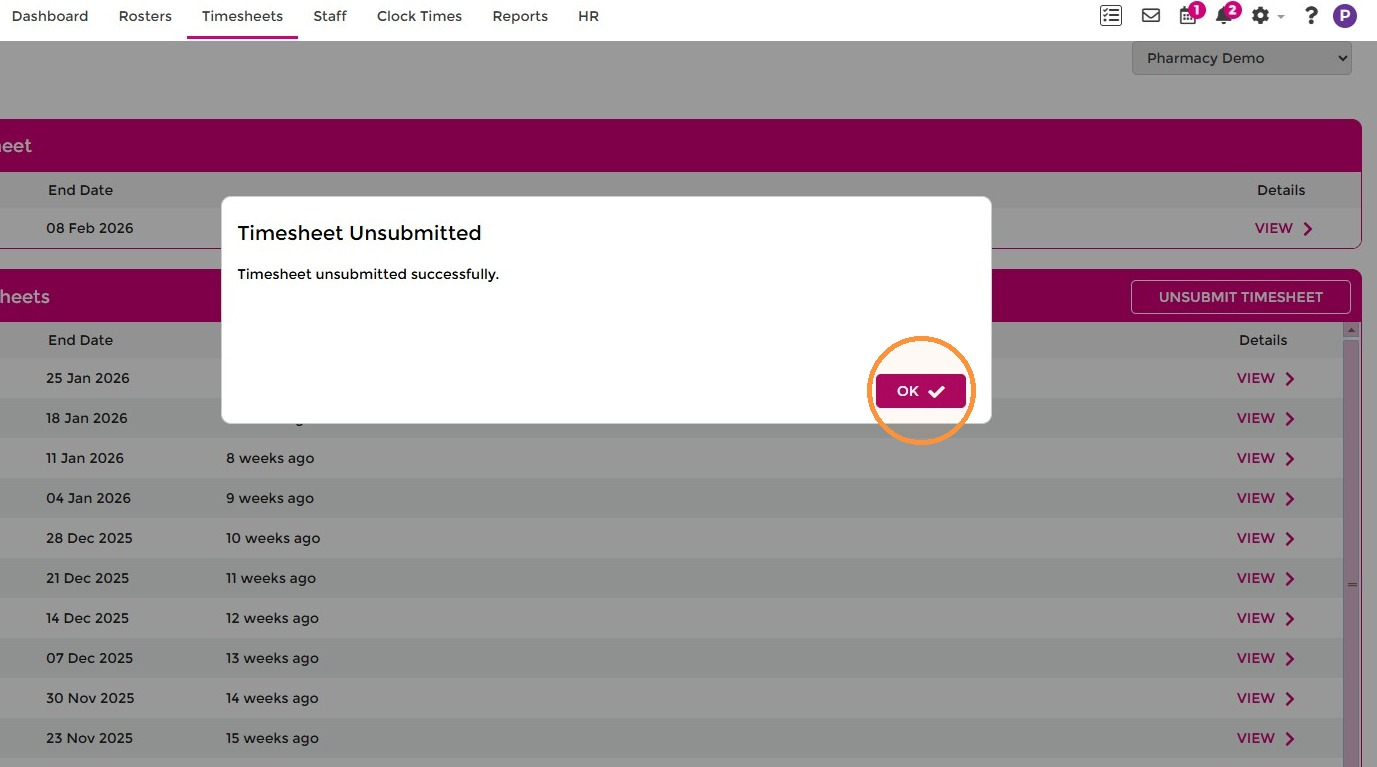
The timesheet is now available for editing again. Make your corrections, then finalise and submit the period again following the standard completing timesheets process.