
Setting passwords
2 min read
Setting passwords
Use this process to set your password for the first time or reset a forgotten password.
Wageloch support staff will never ask for your password — never share it with anyone.
Before you start
- Confirm your user account has been created with the correct email address.
- Make sure you can access your email inbox.
- Open https://app.wageloch.com.au.
Set or reset your password
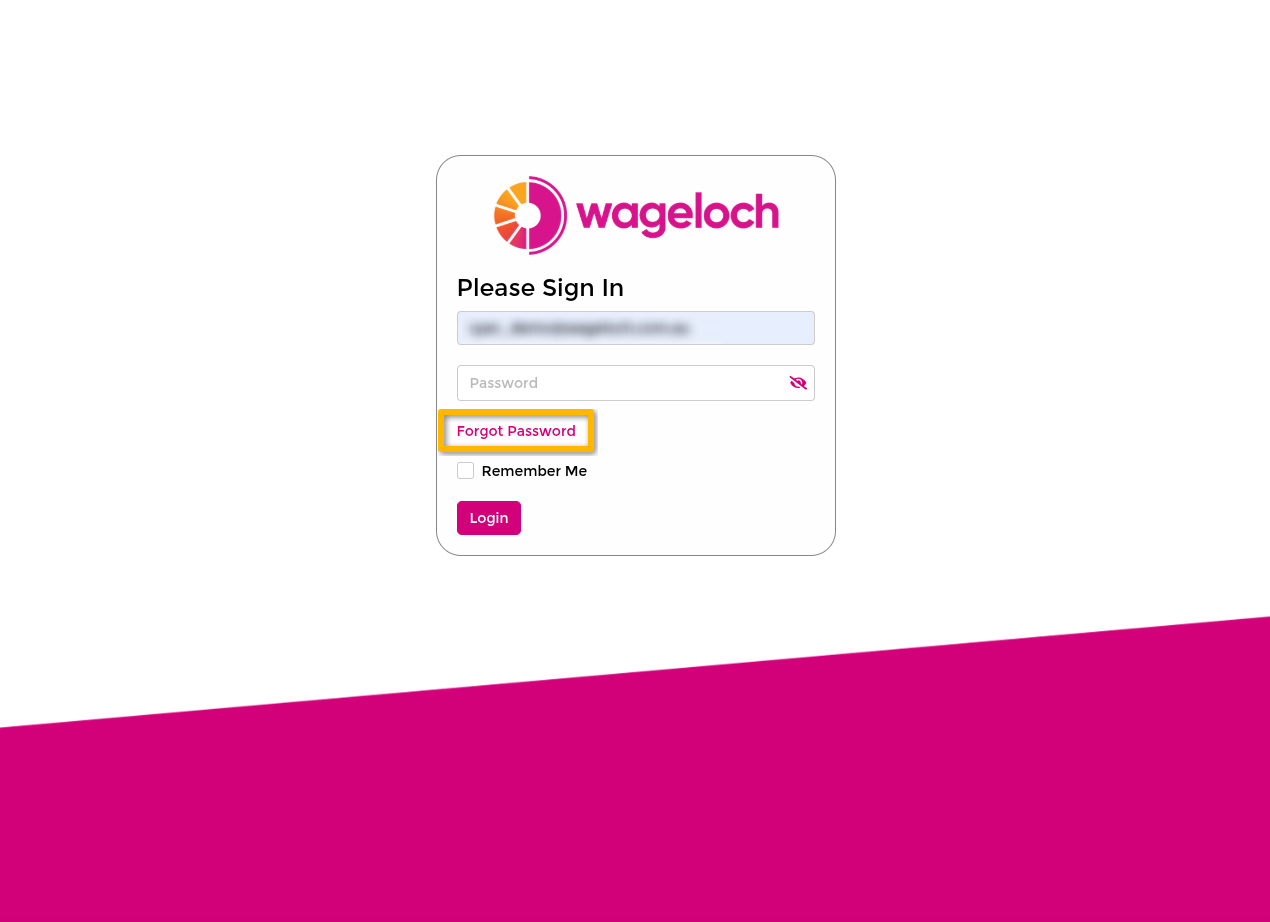
- Go to https://app.wageloch.com.au.
- Enter your email address in the Email field.
- Select Forgot Password.
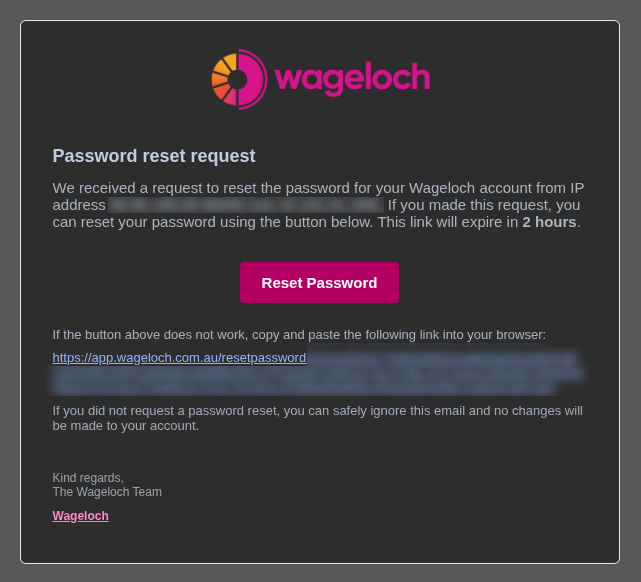
- Open the password reset email sent to your inbox.
- Select the reset link in the email.
- Set a new password that meets the listed requirements.
- Return to Wageloch and sign in.
Password security tips
Good password hygiene
Use a password manager and create a unique password for Wageloch that meets the minimum security requirements.
Troubleshooting
I did not receive the reset email
- Check your spam or junk folder.
- Confirm you entered the correct email address.
- If the issue continues, contact your manager or Wageloch Helpdesk via Contact Us.
My reset link is not working
- Request a new password reset email and use the latest link.
- If the problem persists, contact Wageloch Helpdesk and include any error message shown.