
Connection settings
2 min read
Connection settings
Connection Settings in Wageloch Payroll includes three setup areas:
- ATO STP Settings
- Bank Details
- Transfer BMS ID
Use this page to ensure payroll reporting and payment-file details are set up correctly.
Open connection settings
- Select Settings.
- Go to Payroll > Single Touch Payroll Reporting.
- Review each tab: ATO STP Settings, Bank Details, and Transfer BMS ID.
IMPORTANT
These fields are required for payroll setup and should be completed before payroll processing.
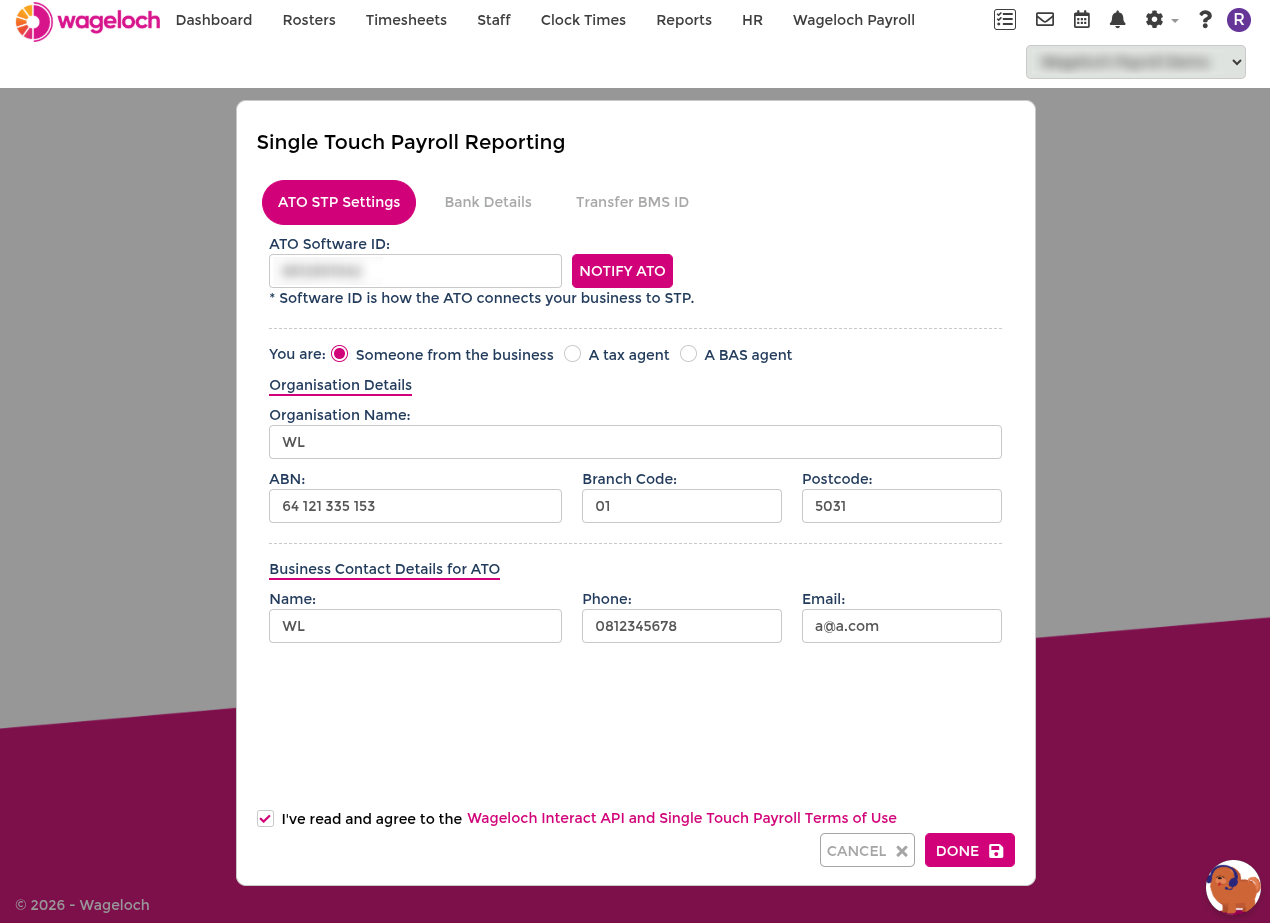
ATO STP Settings
Use this tab to set up Single Touch Payroll reporting details.
ATO software ID
- Wageloch generates the software ID for you.
- Select Notify ATO.
- Follow the ATO instructions shown for your preferred notification method.
- Select Done.
Organisation details
Complete all required organisation details:
- Organisation Name
- ABN (11 digits)
- Branch Code (often
1, unless your accountant advises otherwise) - Postcode
ATO contact details
Enter the contact person responsible for STP authorisation:
- Name
- Phone number
- Email address
Bank Details
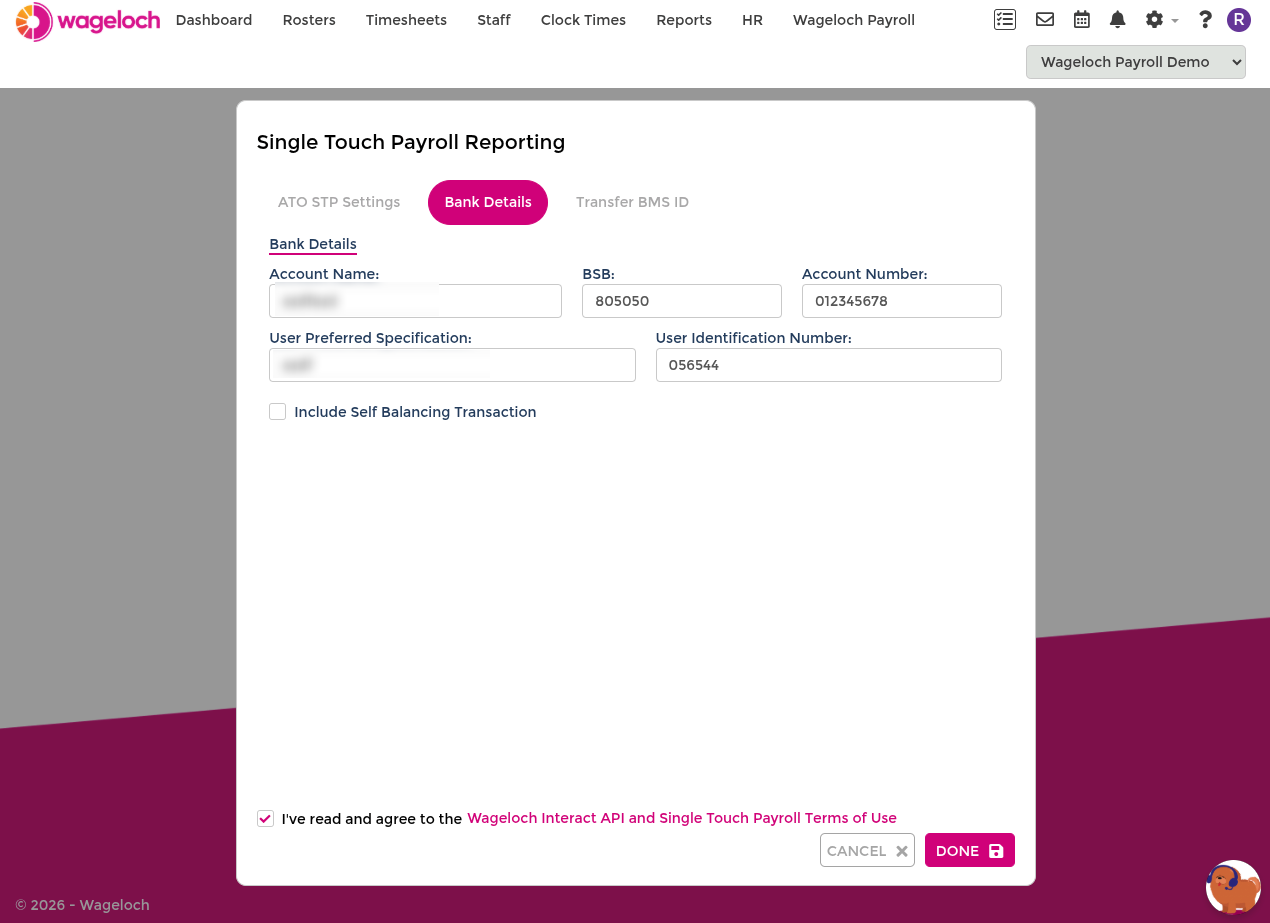
Use this tab to set the account used for payroll payment-file generation.
Complete the following fields:
- Account Name
- BSB and Account Number
- User Preferred Specification (transaction reference text)
- User Identification Number (APCA number, supplied by your bank)
INFO
If you are unsure about APCA or transaction reference requirements, confirm with your bank before processing live payroll.
Transfer BMS ID
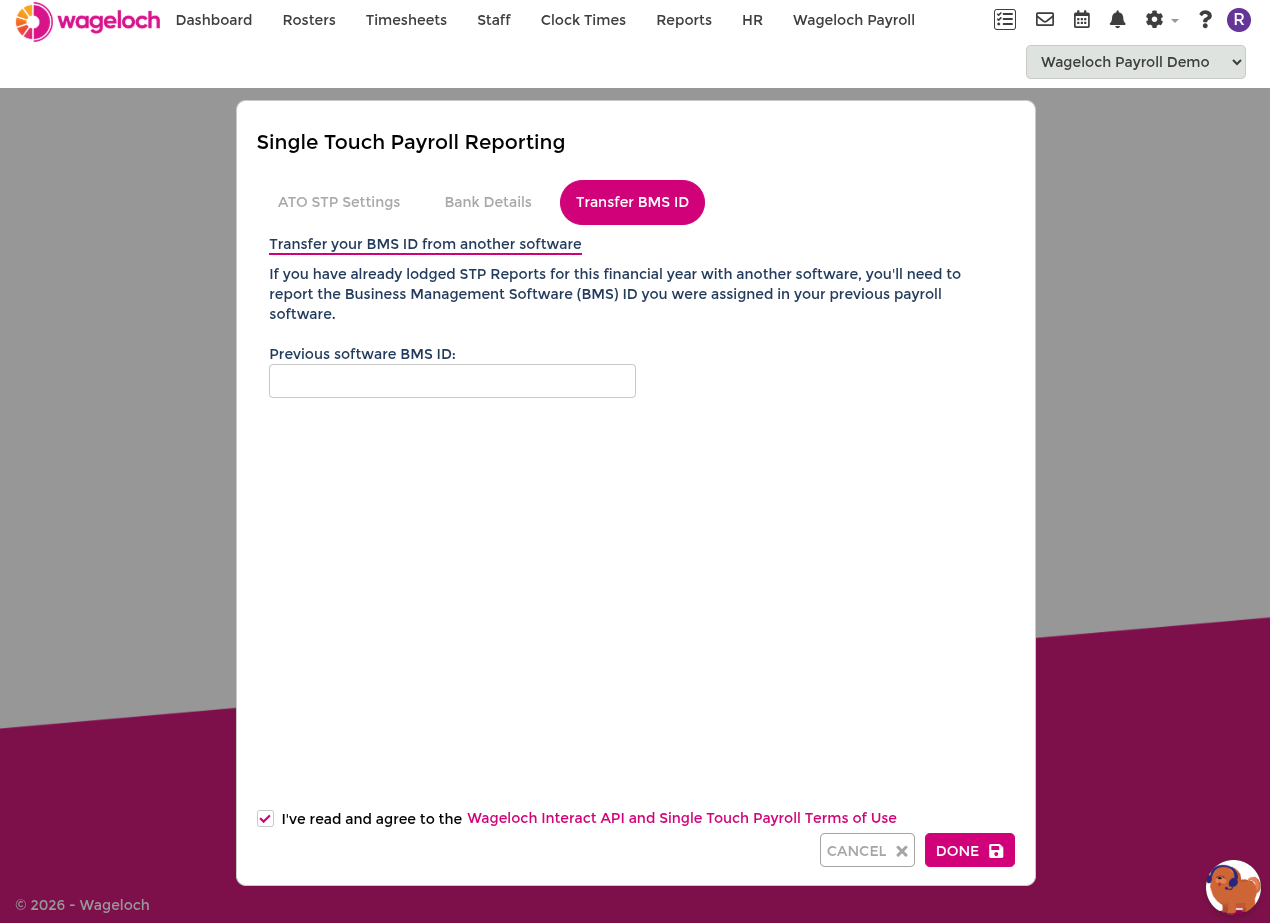
Use this tab if you reported STP through another payroll system earlier in the same financial year. If you're migrating mid-year, complete the YTD zero-off process with your previous system before transferring your BMS ID.
Get your previous BMS ID
- Sign in to ATO online services.
- Go to Employees > STP reporting (agents: Business > STP reporting).
- Open one of your STP reports.
- Copy the Business Management Software (BMS) ID.
- Paste it into Previous Software BMS ID in Wageloch.
TIP
Where the BMS ID appears may vary by payroll product. If you cannot find it, check the STP reporting page in your previous payroll system.
Related setup
For more payroll setup guidance, see Payroll setup.