
Onboarding
2 min read
Onboarding
Digital onboarding lets new employees submit key setup details before their first shift. This helps you complete staff setup faster and keeps records consistent.
Before you start
- Confirm you have enabled onboarding in settings.
- Confirm the onboarding notification email is correct.
- Confirm your default superannuation fund is set.
If employees submit details themselves, send onboarding links during staff creation.
Enable onboarding
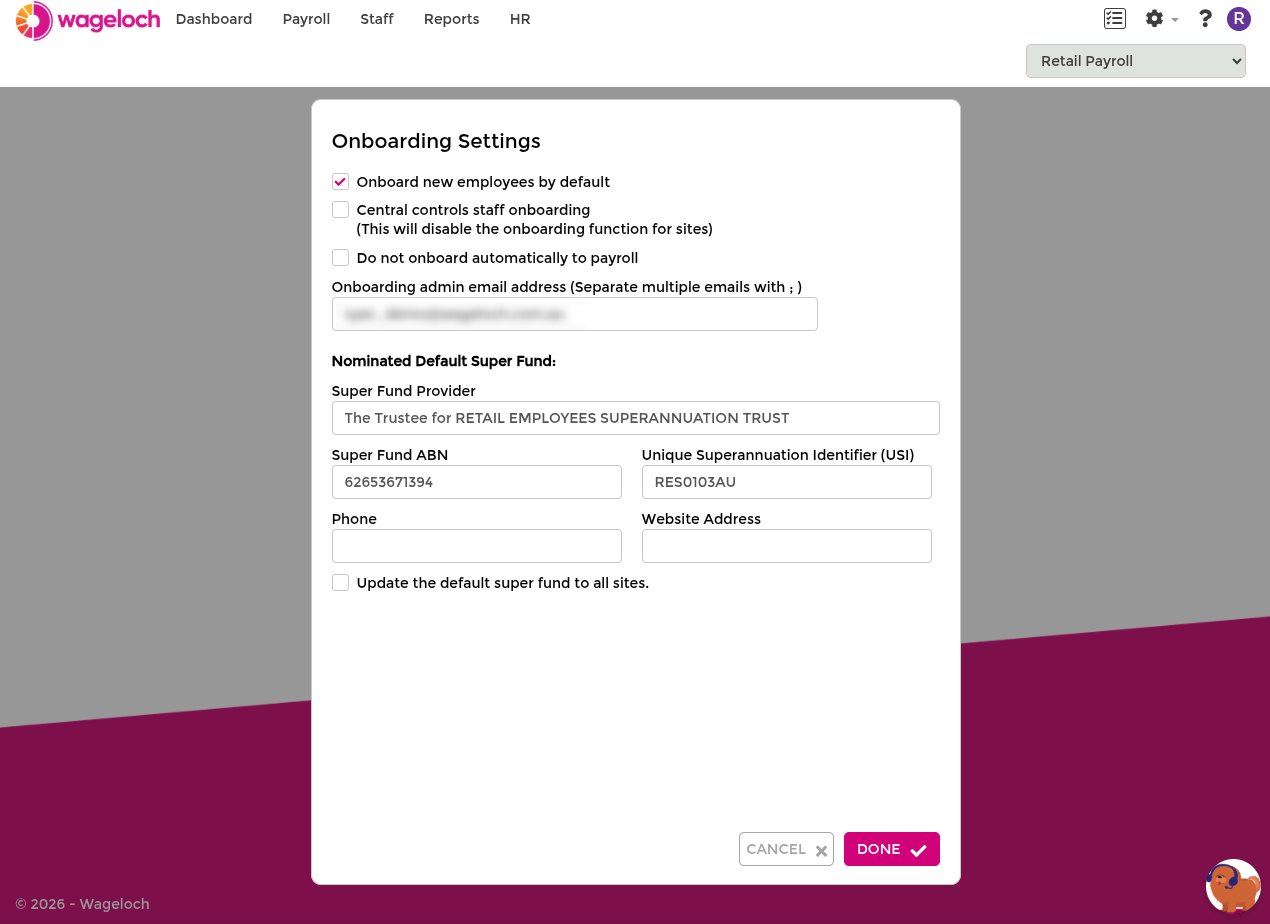
- Open Settings > Staff > Onboarding.
- Enable Onboard new employees by default.
- Enter the Onboarding admin email address for completion notifications.
- Set your default superannuation fund if prompted.
- Click Done.
Send an onboarding link
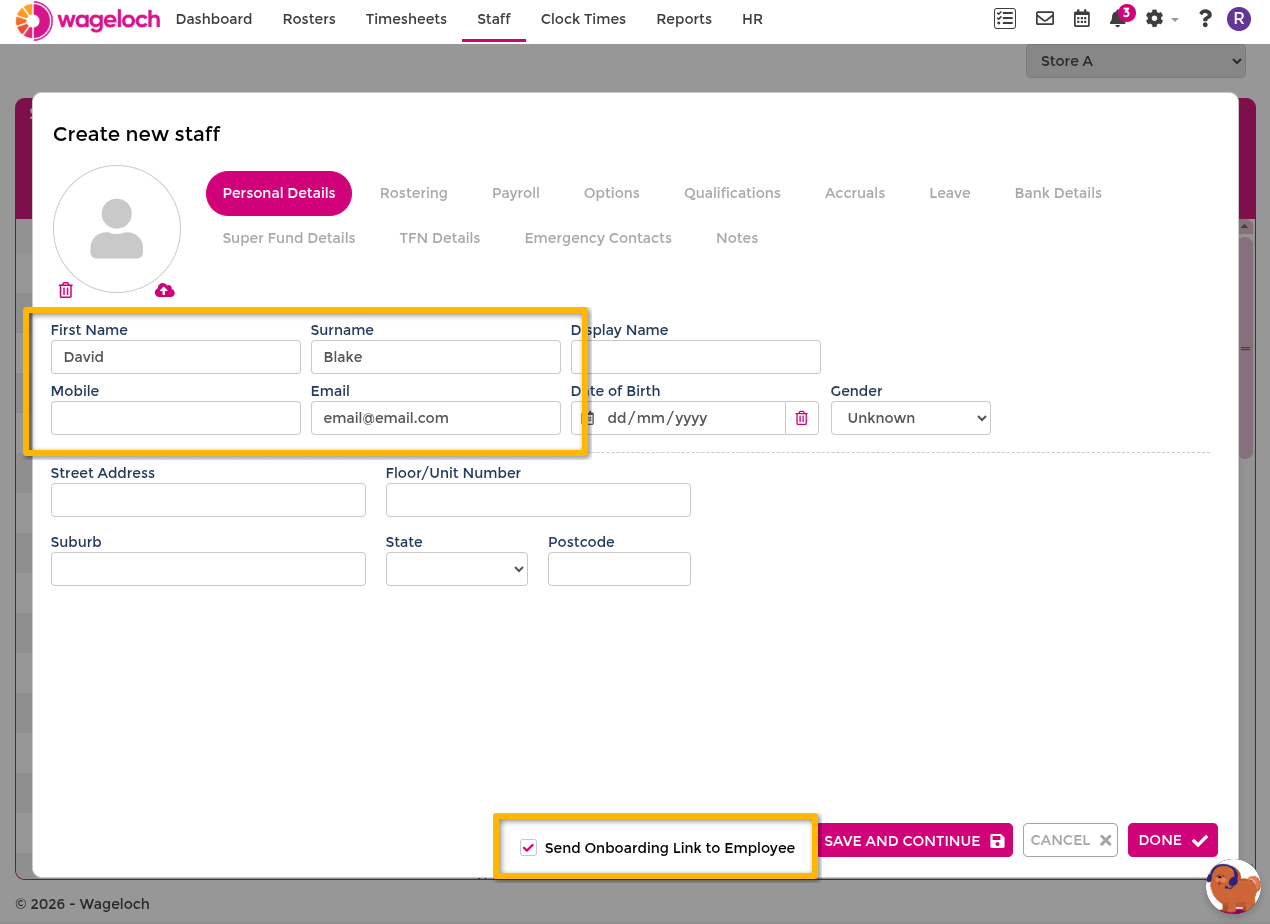
- Open Staff.
- Select Create.
- Enter the employee's first name, surname, and email address.
- Ensure Send Onboarding Link is ticked.
- Click Done.
Complete the rest of the Staff Information card now, or return after the employee submits onboarding.
Check onboarding progress
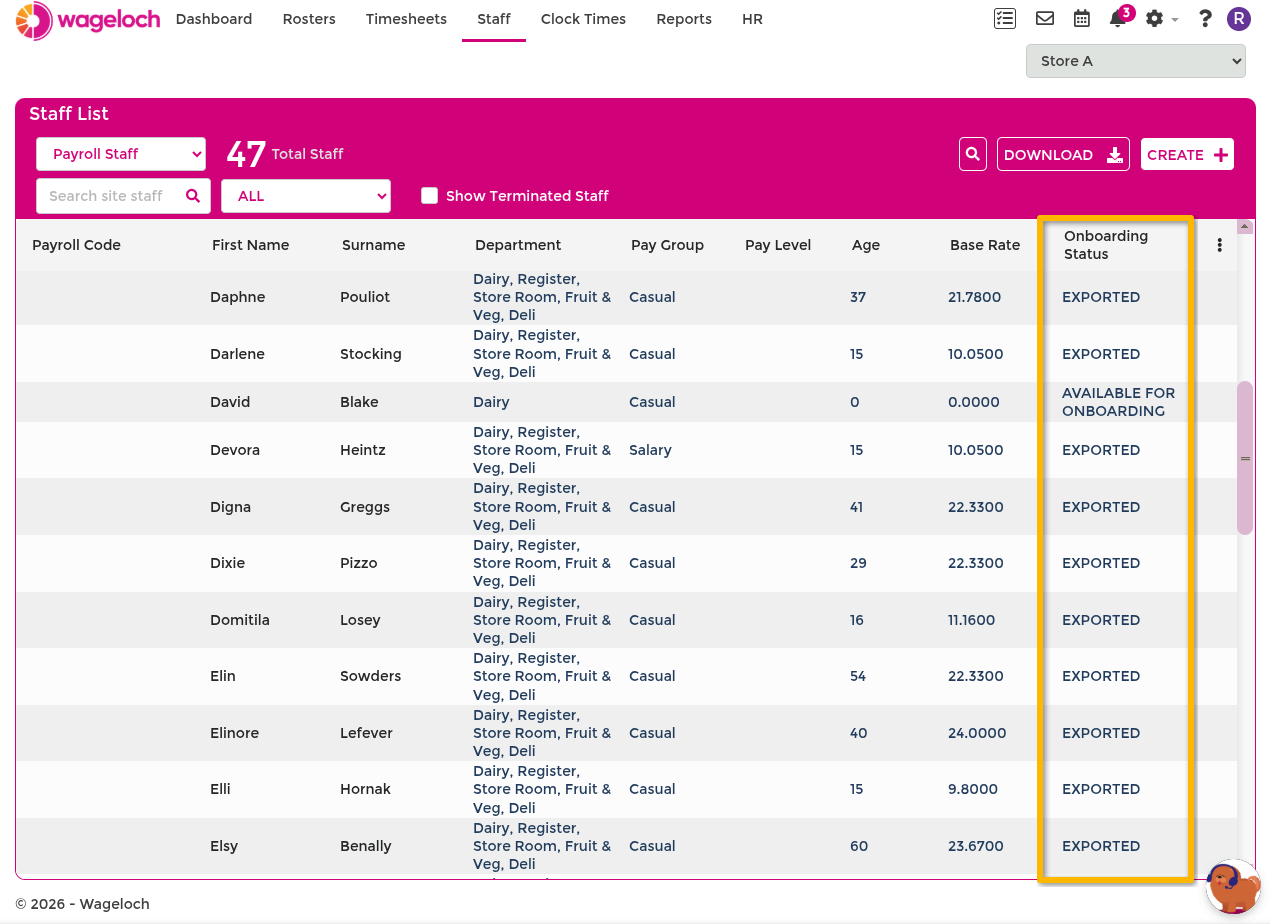
Use the staff list filters to track onboarding status.
- Open Staff.
- Open the status filter (for example ALL).
- Switch between Not Onboarded and Onboarding.
Status meaning:
- Not Onboarded: no onboarding link has been sent for this employee.
- Onboarding: onboarding has started but is not yet complete.
If notification emails are enabled, you receive a confirmation when the employee completes onboarding.
What employees see
For what employees see when they open the link and complete onboarding steps, see Completing Onboarding.