
Site information and activation
1 min read
Site information and activation
Site information defaults
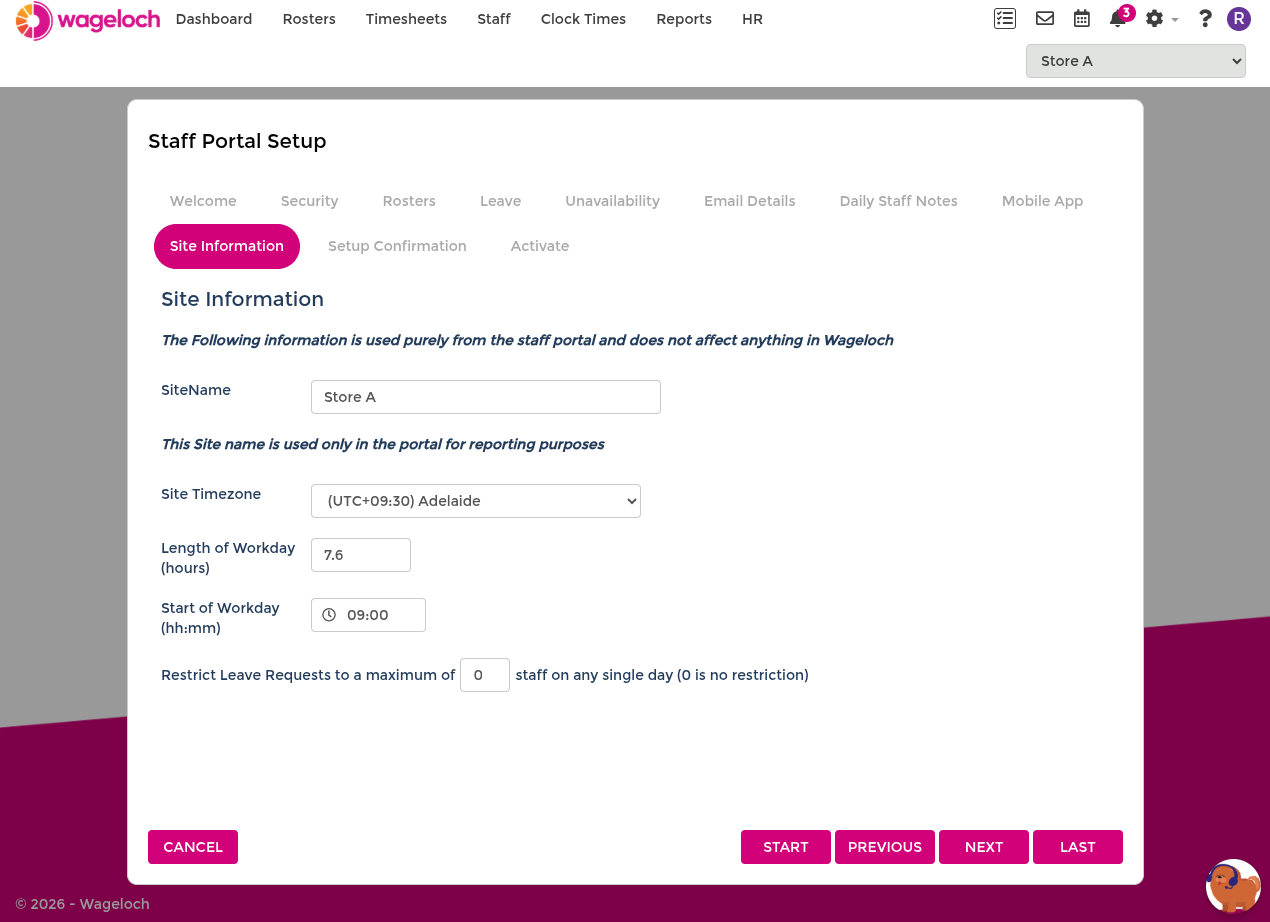
Use Site Information to set defaults used by leave processing.
- Length of workday: default leave-day hours when template-based values are not applied.
- Start of workday: default day-start time.
- Restrict leave request: limit number of staff that can be approved off on the same day.
TIP
For more consistent leave outcomes, use Leave Templates with these defaults.
Review setup confirmation
The Setup Confirmation step summarises your choices before activation.
- Use Back to adjust earlier settings.
- Click Next when configuration is correct.
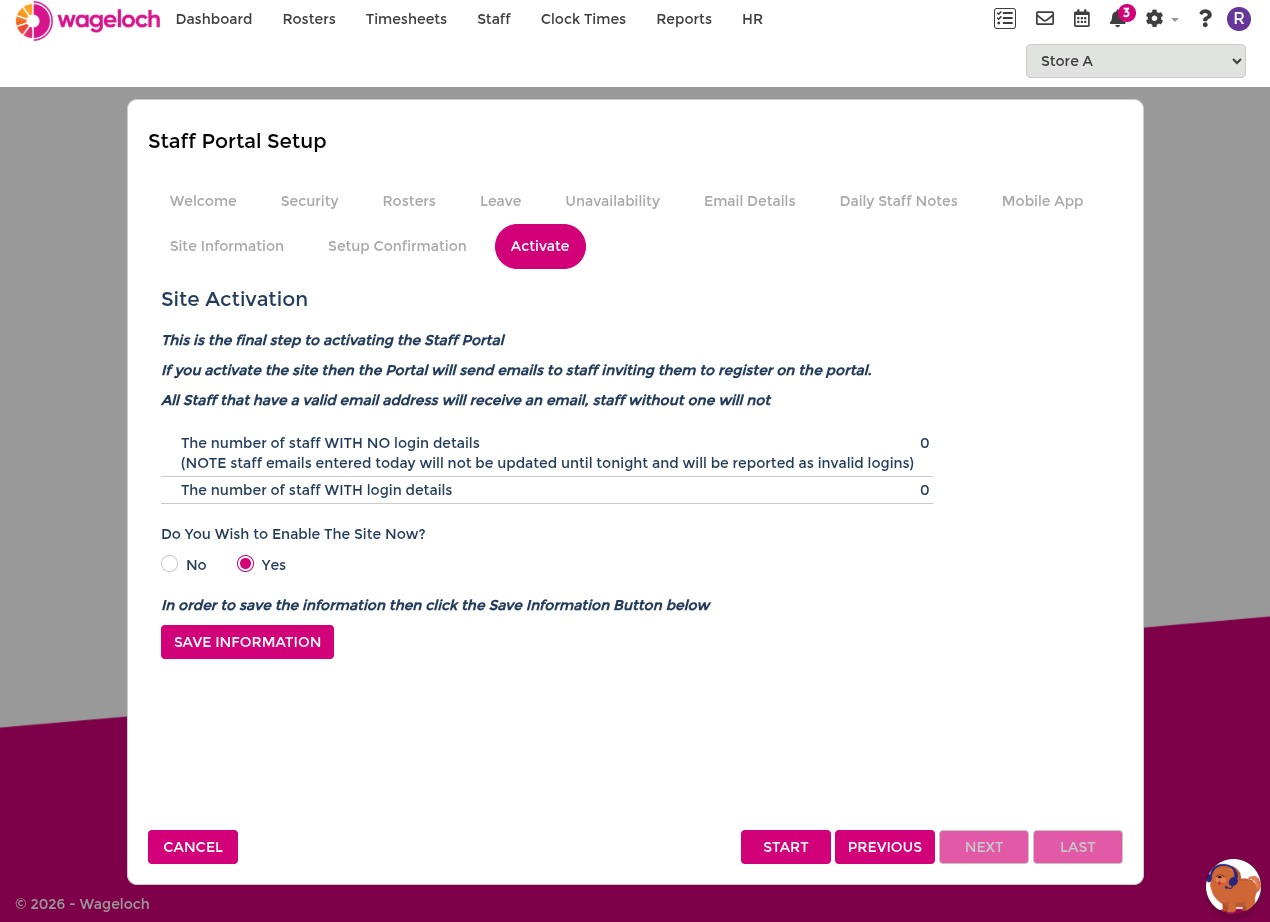
Activate Staff Portal and Mobile App
Before activating, review any staff with missing email addresses and update their staff cards.
When ready:
- Enable the site now = Yes: activates Staff Portal and Mobile App and sends activation instructions.
- Enable the site now = No: keeps configuration saved but not active.
- Click Save Information, then Finish.
When the portal is live
When the Staff Portal is live, all staff with valid email addresses on their staff cards receive a welcome email with portal access instructions.
You can return to Portal Setup at any time to update these settings.