
Documents
1 min read
Documents
Open Documents to review files shared with you.
INFO
Documents is only visible if your employer uses the Wageloch HR module.
Before you start
For security, you must authenticate with your PIN or biometric login before you can view documents. This is the same authentication used for My Profile.
Open Documents
- Go to the Quick Actions section on Home.
- Tap Documents.
- Authenticate with your PIN or biometric login when prompted.
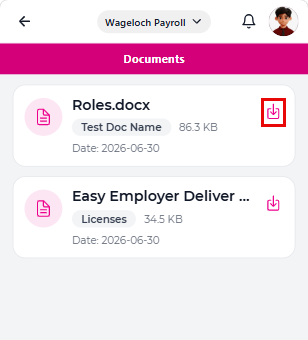
Only documents your employer has shared with you appear in the list.
You can:
- Review the document name, category, and file size.
- Download the file.
- Upload a file, if allowed by your employer.
- Remove it from the list.
NOTE
If your employer stops sharing a document, it no longer appears in the app once the document list refreshes.