
Central Payroll
3 min read
Central Payroll
Central Payroll is a setup for businesses that operate multiple sites but process payroll from one location. One site — the central payroll site — holds the payroll connection and controls when timesheet data is exported. Sub-sites manage their own rostering and timesheets, then submit to the central site when they are ready. Payroll is only processed once the central payroll operator confirms and exports.
How it works
The central payroll site acts as the hub. Payroll configuration lives here exclusively — this includes the payroll connection, integration settings, payroll mappings, and staff imports. Sub-sites cannot access or configure these settings.
Sub-sites operate independently for rostering, time and attendance, and timesheet management. When a pay period is complete, the sub-site manager finalises their timesheets and submits them. Submission makes the timesheets available to the central payroll site — it does not trigger payroll processing.
The central payroll operator then reviews the submitted data across all sites and exports when ready. The export is the point at which hours reach the payroll integration or Wageloch Payroll.
Sub-site workflow
Sub-site managers follow the standard timesheet process through to submission.
- Review and finalise each day's timesheets.
- Complete department-level checks where applicable.
- Open Pre-Submit and confirm totals.
- Select Submit.
What Submit does in a Central Payroll environment
Submitting timesheets sends them to the central payroll site for review. It does not process payroll. The central payroll operator handles the final export.
For day-level finalisation, Pre-Submit steps, and submission, see Completing timesheets.
Central payroll workflow
At the central payroll site, you can see submitted timesheets from all sites. From here, review calculations and export when ready.
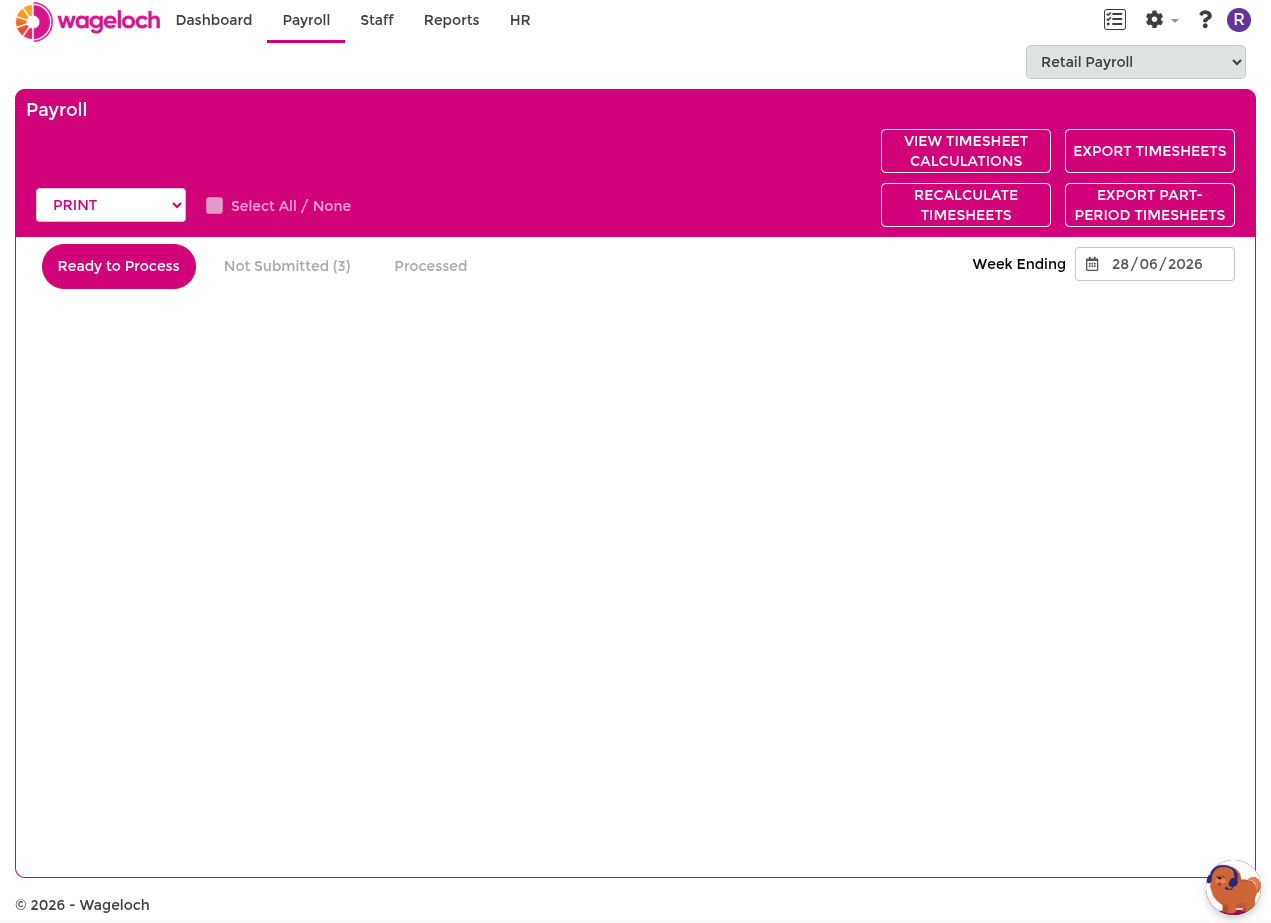
Review calculations
Before exporting, use View Timesheet Calculations to verify hours across sites.
- Select View Calculations (near Export Timesheets).
- Select the store.
- Select the pay period.
- Select an employee to review finalised hours and award breakdown.
For full calculation review steps, see Advanced timesheets.
Export timesheets
Once you have confirmed each site's submitted timesheets are correct:
- Select the relevant pay period.
- Select Export Timesheets.
- Confirm the export.
Review before exporting
Exporting sends data to the connected payroll integration or generates the payroll export file. Confirm each store's submission is correct before proceeding.
What sub-sites cannot access
When a site operates under Central Payroll, the following are only available from the central payroll site:
- Payroll connection and integration configuration
- Payroll mappings
- Staff import from payroll
If these options are absent or read-only at a sub-site, contact your central payroll administrator.