
My Roster
1 min read
My Roster
Open My Roster to review your scheduled shifts. If you work across multiple sites, this view includes shifts from all assigned sites.
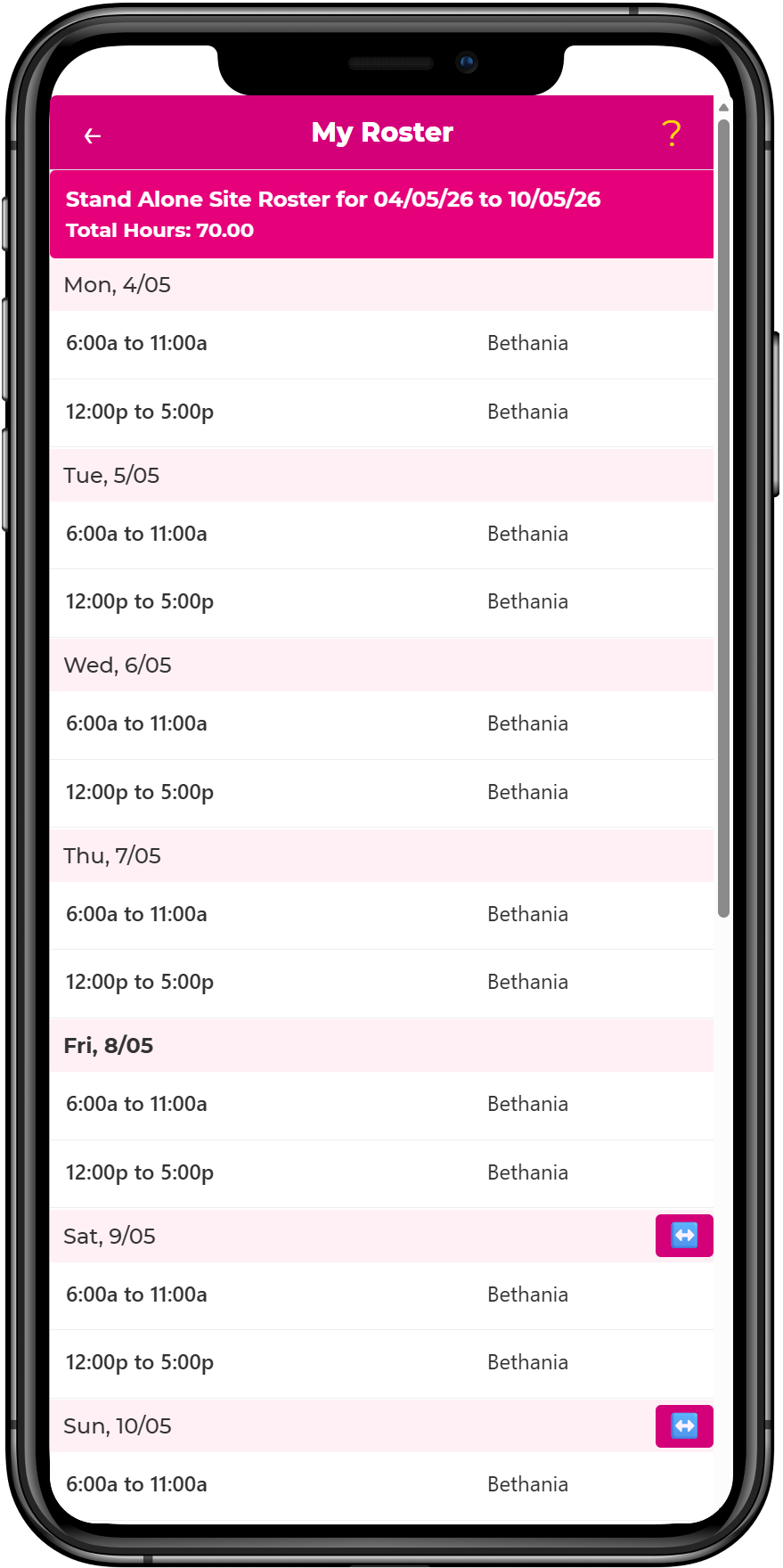
This screen shows total scheduled hours, the number of scheduled working days, upcoming shifts, shift times, and breaks. It also shows role details, roster notes on selected days, and site information.
You can scroll through the listed shifts to review the date, start and end time, role, location, and any notes attached to the day.
Request a shift replacement from a roster shift
To exchange one of your shifts with another employee, open the shift and use the shift replacement option. The full request flow — including responding to requests sent to you — is documented in Shift replacement.