Self-manage award rates and factors
1 min read
Self-manage award rates and factors
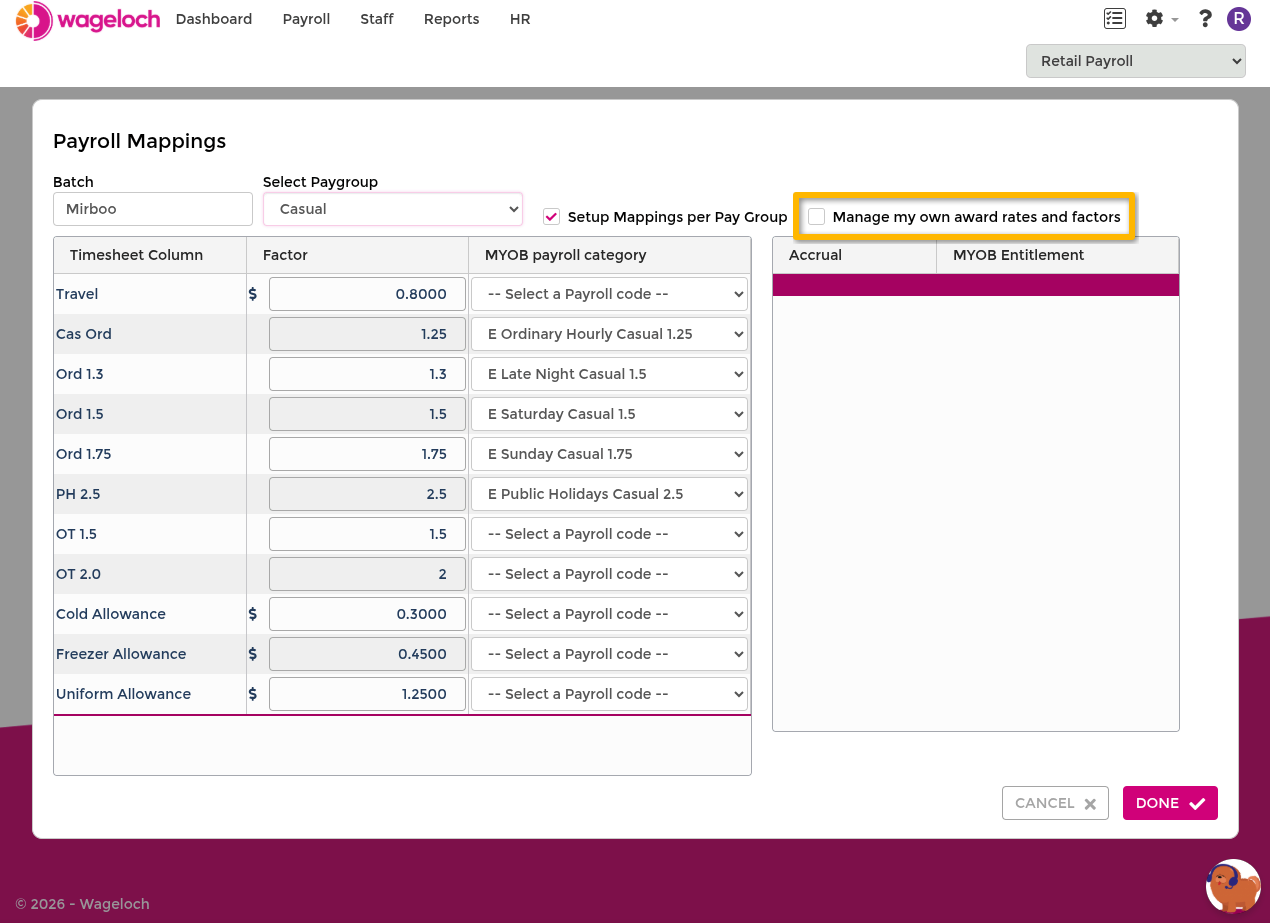
By default, Wageloch manages your award rates and factors on your behalf. If you want to control these values yourself, enable self-management from Payroll mappings.
Irreversible change
Enabling self-management cannot be undone. Once enabled, you are responsible for maintaining all award rates and factors. You can still contact Helpdesk for assistance, but Wageloch will no longer manage these values for you.
Enable self-management
- Sign in to Wageloch.
- Go to Settings > Payroll > Payroll Mappings.
- Enable Manage my own award rates and factors.
- Read the confirmation prompt, then select Yes to proceed.
You can now edit any factor or allowance value directly in the mappings screen.
Update rates and factors
- Go to Settings > Payroll > Payroll Mappings.
- Edit the relevant factors or allowances in the column.
- Select Done to save.
CAUTION
Changes take effect immediately on all current unsubmitted timesheets and rosters. If you need to correct a previous timesheet, unsubmit it first, then reapply.