
Advanced timesheets
3 min read
Advanced timesheets
Advanced timesheet tools let you go further before submitting payroll:
- Department-based review and finalisation.
- Edit by Staff Member.
- View Timesheet Calculations.
Timesheets by department
Use department filtering when managers need to review only their teams.
- Open Timesheets.
- Open the current pay period.
- Select a department from the top-right filter.
- Review and finalise for that department.
- Repeat for each required department.
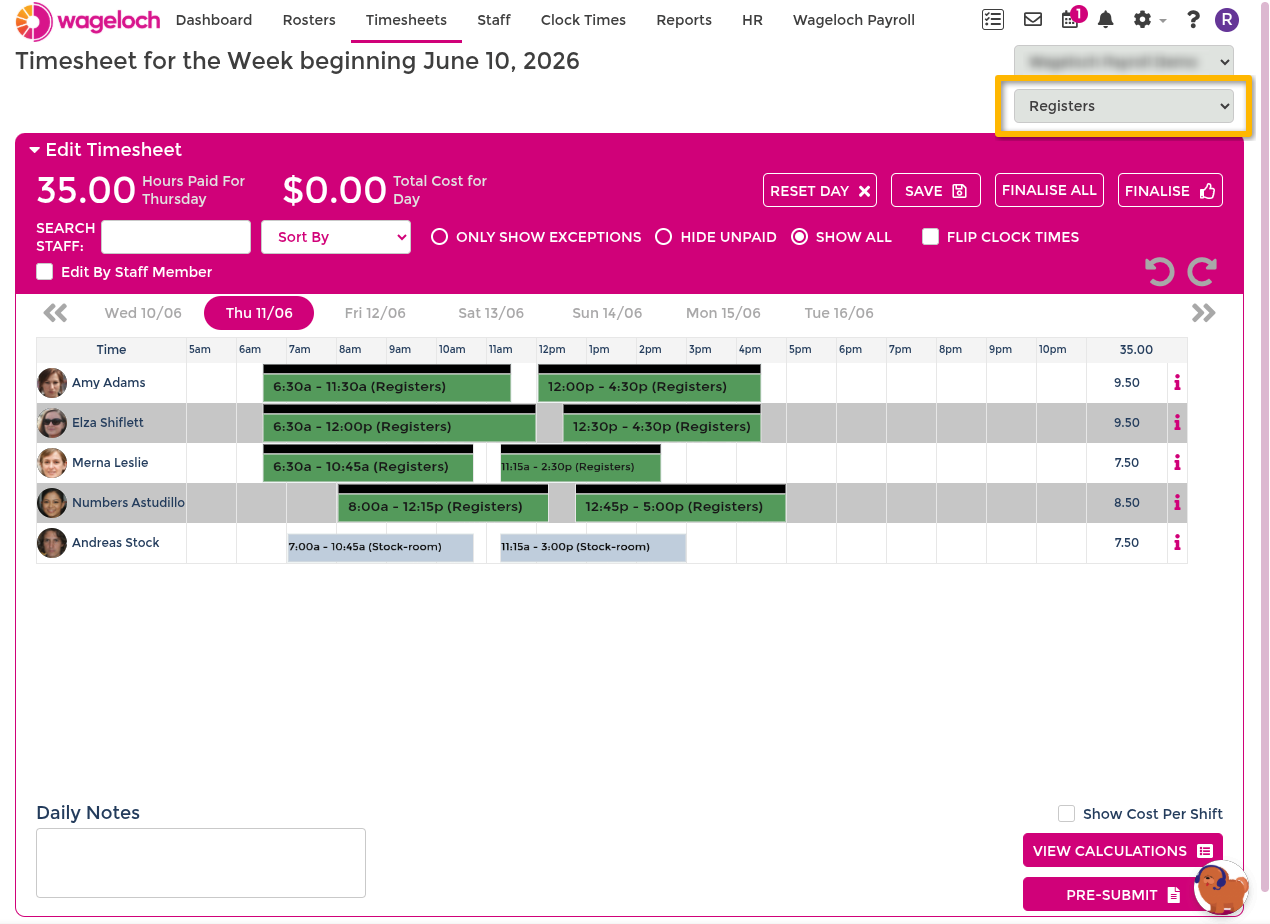
In Pre-Submit, start with (ALL), then switch to individual departments to review team totals.
Cleaner summary view
Use Hide Empty Rows and Hide Empty Columns in Pre-Submit to focus on payable values.
For the full department process, see Timesheets by department.
Edit by Staff Member
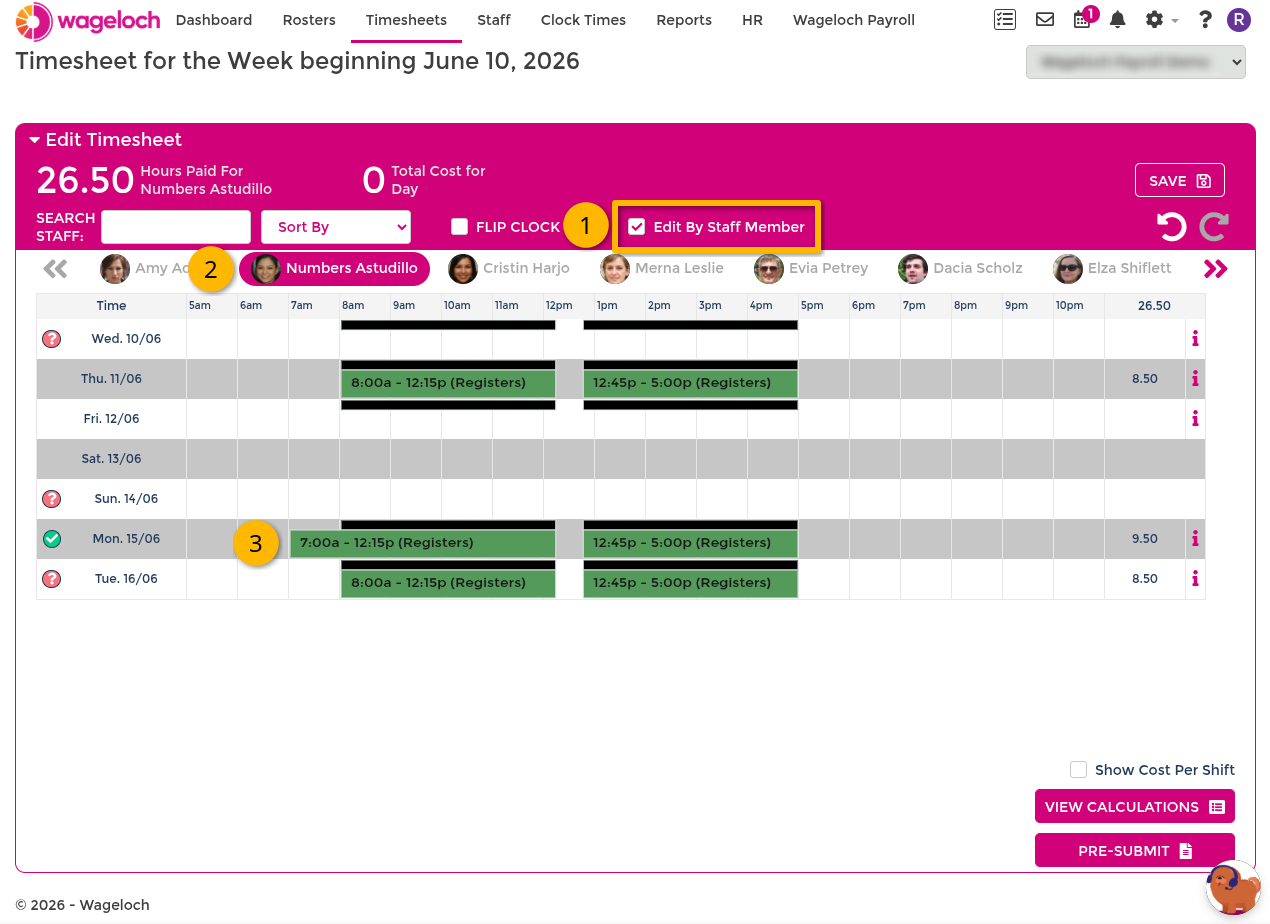
Use Edit by Staff Member when you want to check one employee at a time across the pay period.
This is useful when daily checks are delayed and you need a final person-by-person pass before submission.
Requirements
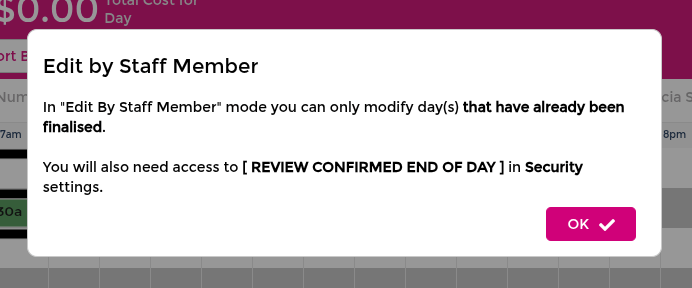
- Timesheet days must be finalised first.
- If days are not finalised, the tool will prompt and block editing.
Process
- Open Timesheets and select the period.
- Finalise required days (or use Finalise All when appropriate).
- Enable Edit by Staff Member.
- Move through each employee and apply required edits.
- Select Save per employee.
- Continue to Pre-Submit for final checks.
View Timesheet Calculations
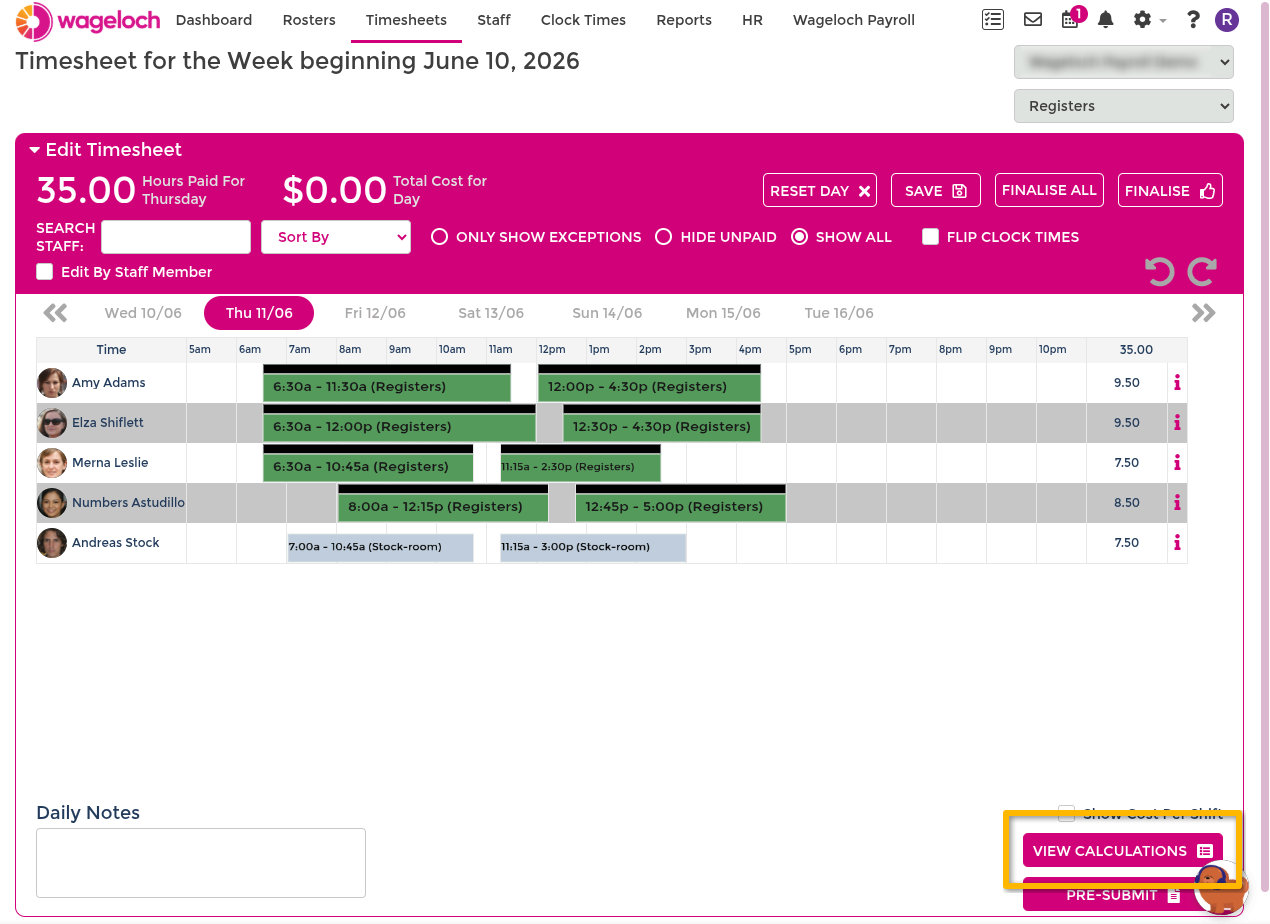
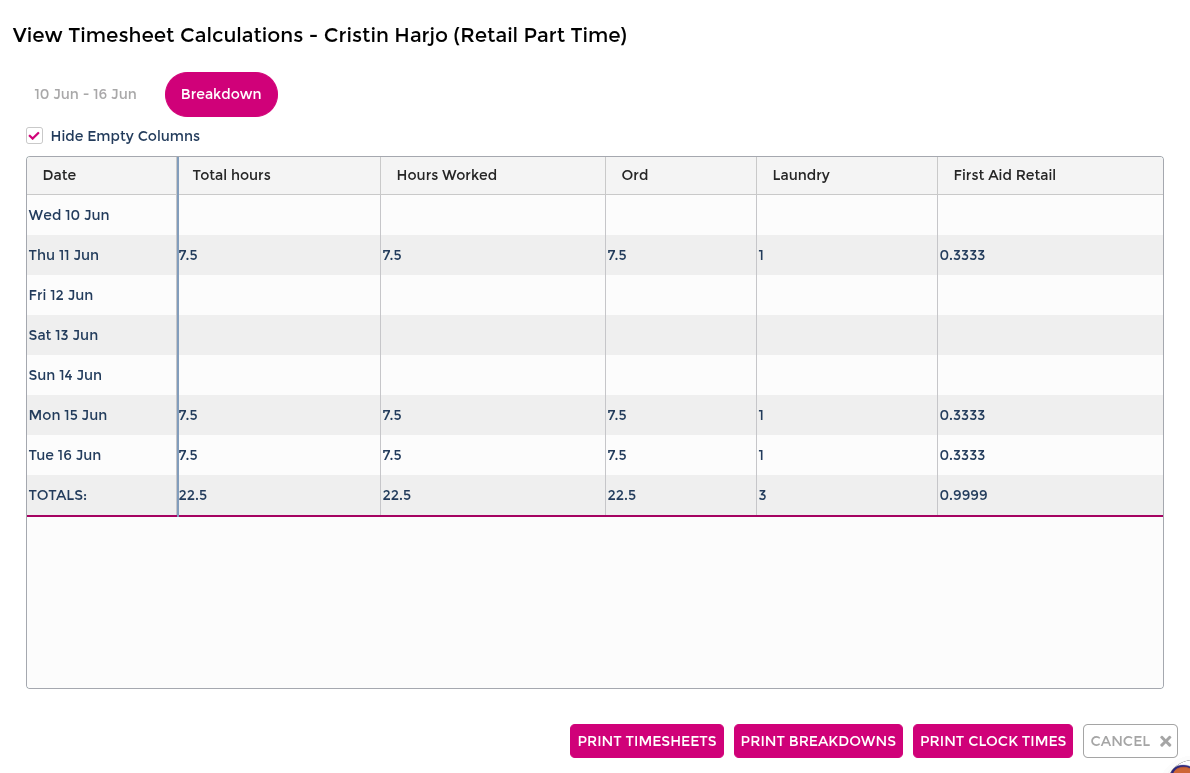
Use View Timesheet Calculations to inspect how finalised hours break into ordinary time, overtime, penalties, and other award outcomes.
From Timesheets
- Open Timesheets and select the period.
- Confirm required days are finalised.
- Select View Timesheet Calculations.
- Select an employee.
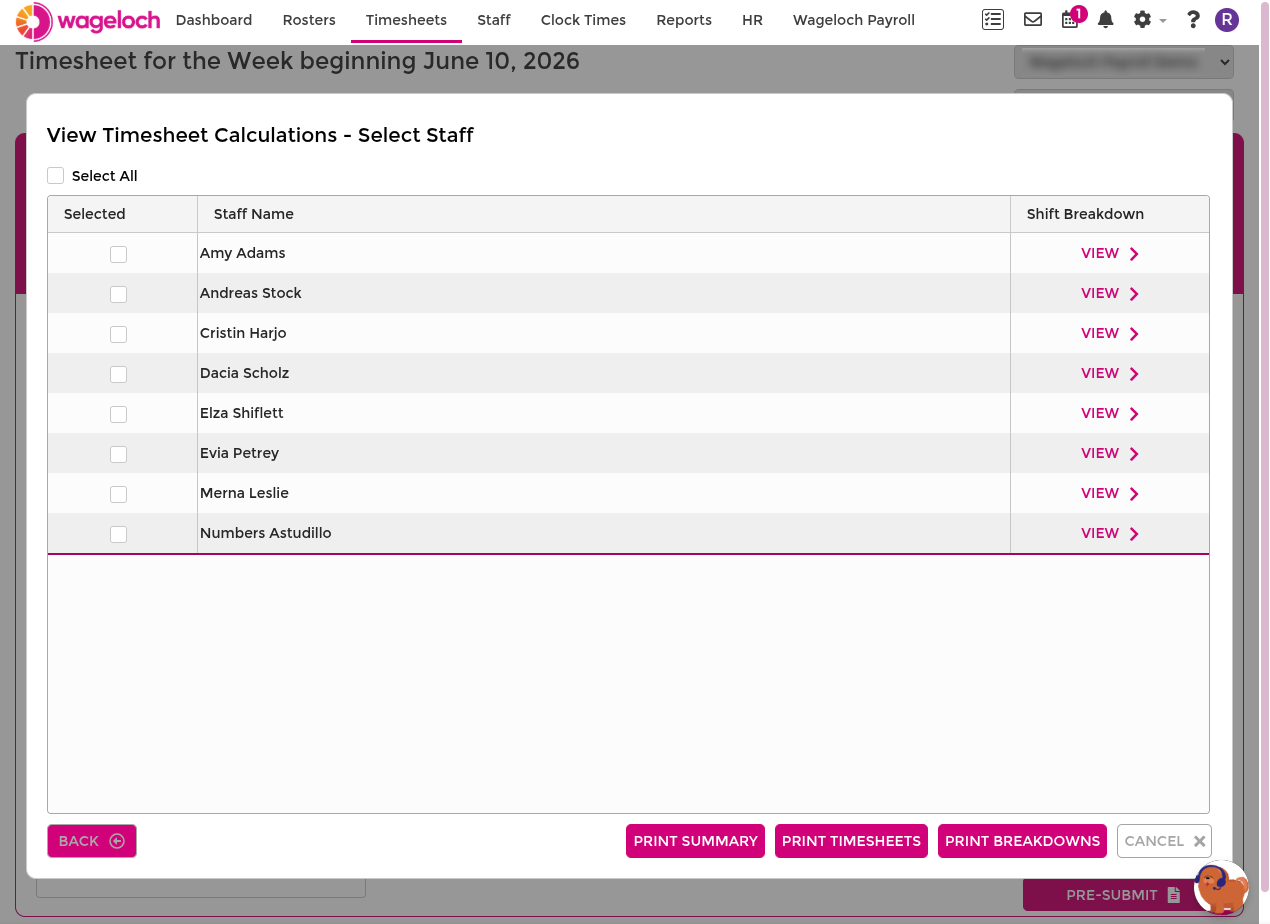
- Review shift totals.
- Select Breakdown to view award-level detail.
You can also select multiple employees and print:
- Timesheet summaries
- Timesheets
- Breakdowns
From Pre-Submit summary
If you are already in Pre-Submit:
- Select an employee name in the summary.
- Open Breakdown to inspect where overtime or penalties were applied.
- Return to summary and continue checks.
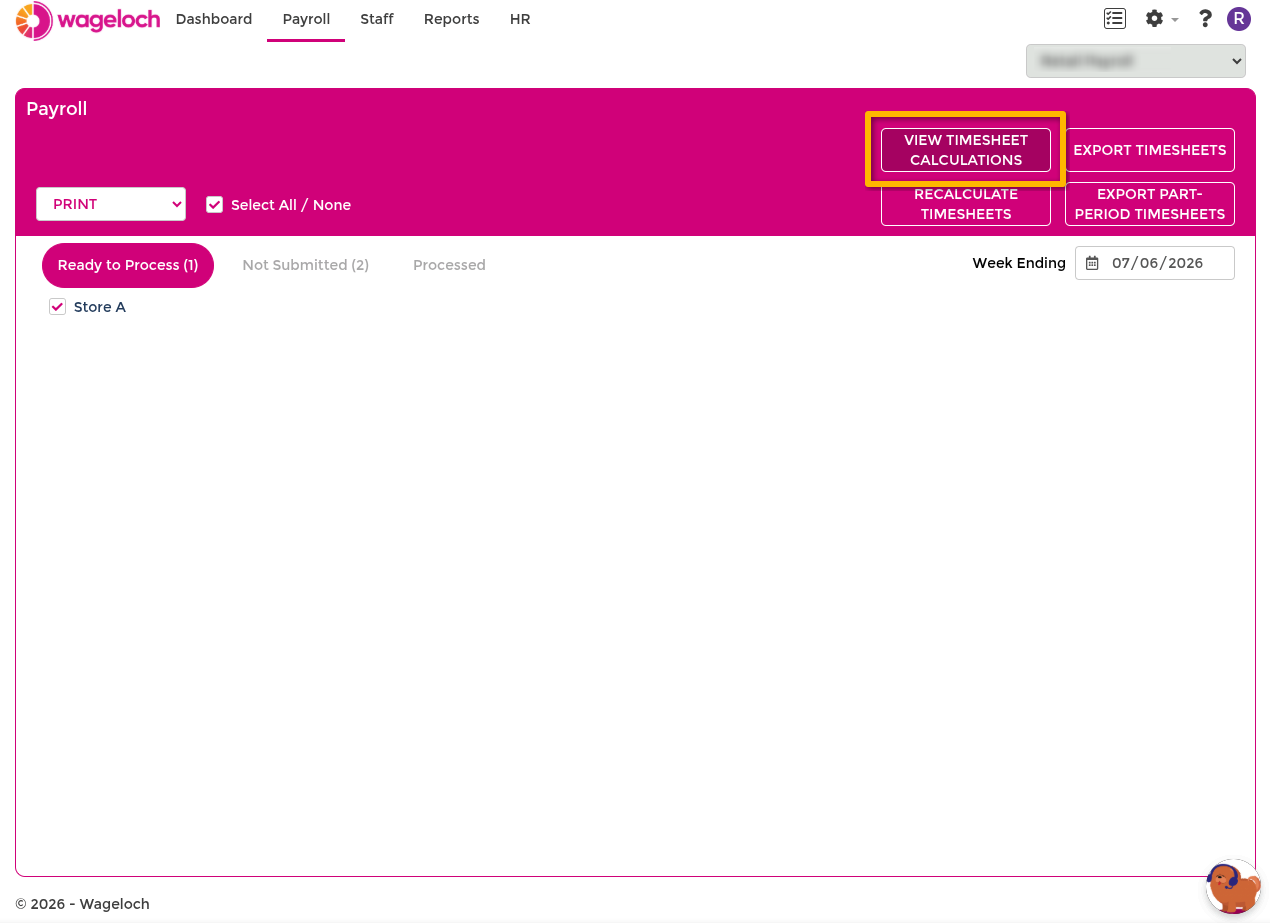
From Central Payroll
At the central payroll level:
- Select View Calculations near Export Timesheets.
- Select the store.
- Select the pay period.
- Select an employee to view finalised hours and breakdown.
Recommended review sequence
- Complete day-level checks and finalise entries.
- Run department and employee-level checks where needed.
- Use View Timesheet Calculations for overtime/penalty verification.
- Pre-Submit and submit once totals are confirmed.
For day-level finalisation steps, see Completing timesheets.